[MS] Dock the Code Search window in Visual Studio 2022 - devamazonaws.blogspot.com
Ever felt frustrated with the search window cluttering your workspace? The latest feature in Visual Studio 2022 gives you more control over the behavior of the Code and Feature Search window, making your search experience smoother and more efficient. 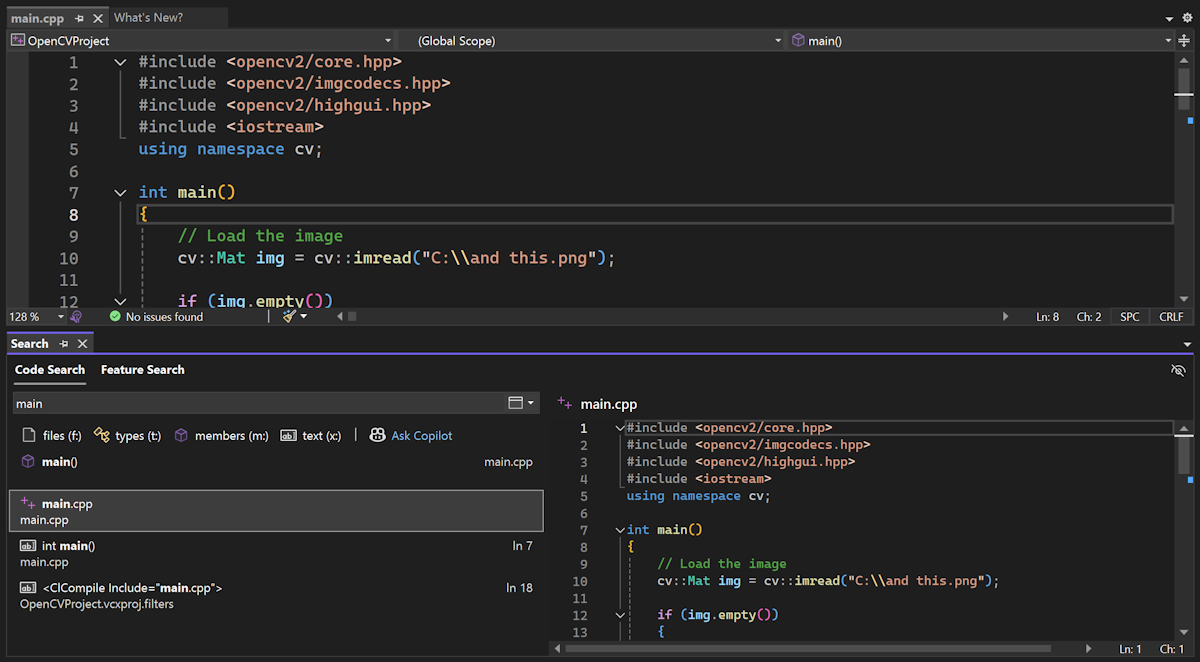 Some users have shared that the search window feels intrusive, interrupting your work by appearing mid-screen or on the wrong screen and taking up precious screen real estate. You now have the option to turn the search window into a tool window and dock it where you’d like.
 If you try it out and decide this feature isn’t for you, you can go back to the popup version of the window by clicking on the box icon with a rectangle.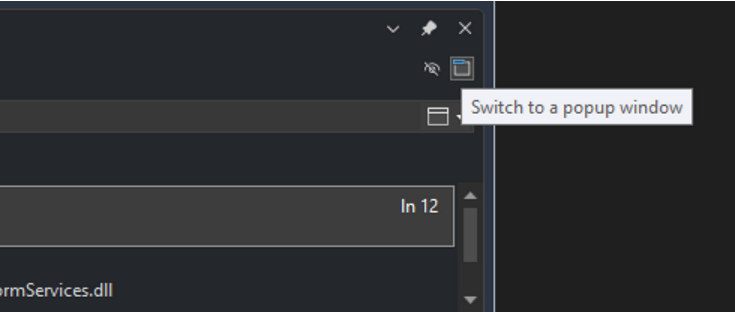
 Moreover, the preview panel's position will now automatically adjust based on the dimensions of the search window, ensuring a seamless and adaptable viewing experience.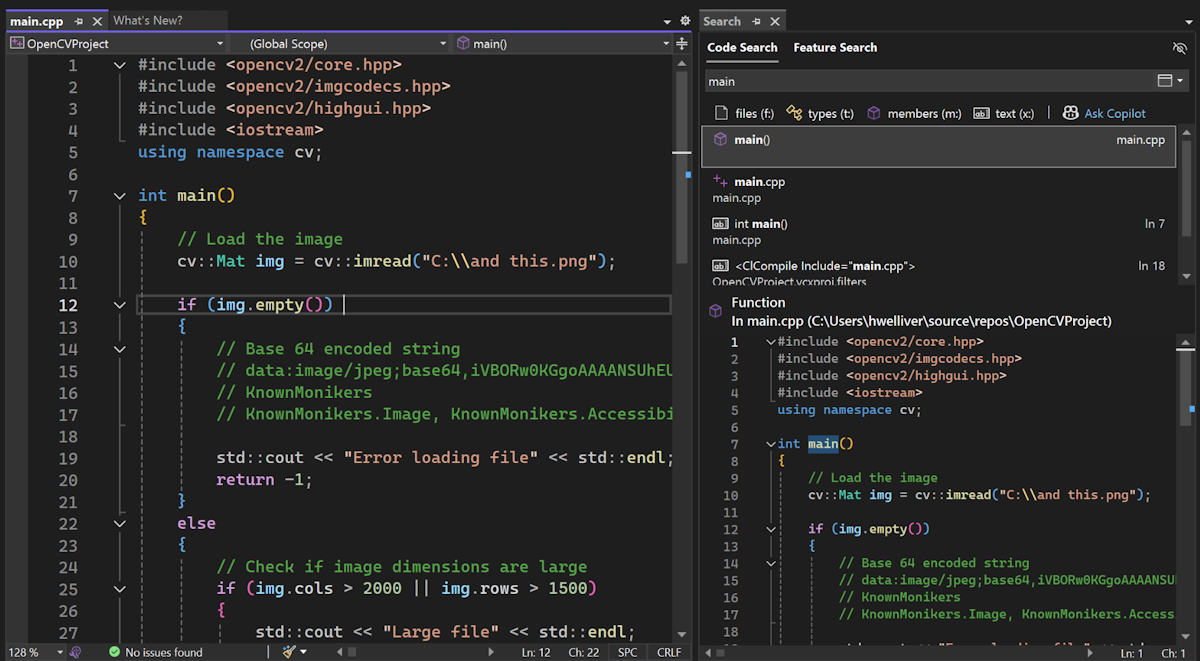
Post Updated on December 31, 2024 at 01:00PM
Thanks for reading
from devamazonaws.blogspot.com
Some users have shared that the search window feels intrusive, interrupting your work by appearing mid-screen or on the wrong screen and taking up precious screen real estate. You now have the option to turn the search window into a tool window and dock it where you’d like.
Choose how you want your search window
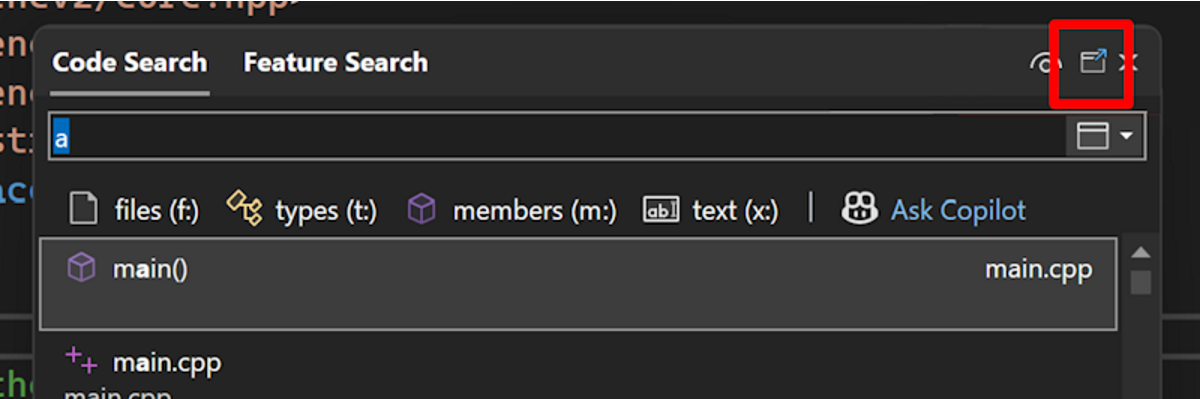
Visual Studio now allows you to dock the search window and perform various tool window actions, like Solution Explorer and other tool windows. The window will continue to pop up by default, but you can now dock, pop out, or auto-hide the search window as a tool window. After launching Code Search (Ctrl+T or Ctrl+,) or Feature Search (Ctrl+Q), click the box icon with an arrow at the top right of the window. This icon transforms the search window into a versatile tool window, which you can then dock anywhere in your interface and organize your workspace as you like. If you try it out and decide this feature isn’t for you, you can go back to the popup version of the window by clicking on the box icon with a rectangle.
Streamlined previewing experience
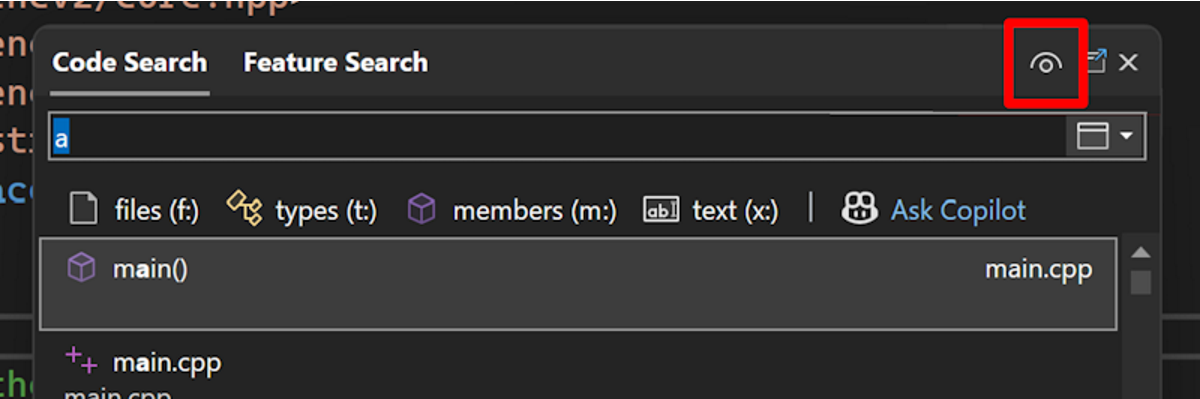
We’ve also simplified the previewing experience within the search window. The interface has been simplified and cleaned up, providing a more user-friendly experience. A single button, marked with an eye icon, allows you to toggle the preview panel on and off. Moreover, the preview panel's position will now automatically adjust based on the dimensions of the search window, ensuring a seamless and adaptable viewing experience.
We appreciate your feedback
We are deeply grateful for the continuous feedback from our dedicated users, which plays a crucial role in making Visual Studio better with each update. Your input helps us refine and enhance the features that matter most to you. Thank you for being an integral part of the Visual Studio community. We can't wait for you to experience the improved search window control in Visual Studio 2022!Post Updated on December 31, 2024 at 01:00PM
Thanks for reading
from devamazonaws.blogspot.com

Comments
Post a Comment