[MS] MSSQL Extension for VS Code: Query Profiler, ADS Migration Toolkit & More - devamazonaws.blogspot.com
The MSSQL Extension for VS Code continues to evolve, delivering features that make SQL development more integrated, more powerful, and more developer-friendly. In version v1.40.0, we're introducing the ADS Migration Toolkit, Basic Database Management, Flat File Import, Database Backup & Restore, Database Object Search, and Query Profiler — six capabilities that bring seamless Azure Data Studio migration, essential database operations, and real-time performance monitoring directly into your development workflow inside Visual Studio Code.
 Each result row includes an Actions menu (…) with common operations like full scripting options, Edit Data, Modify Data, Copy Object Name, etc.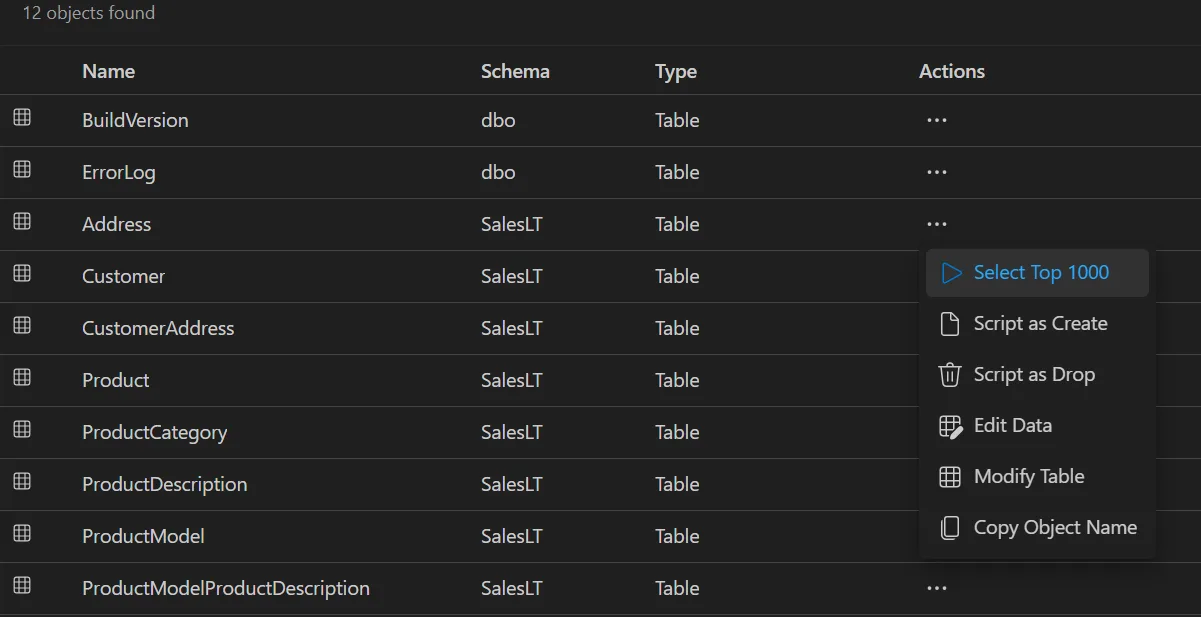
 Query Profiler helps developers identify slow queries, spot performance bottlenecks, and understand how their application interacts with the database during development and testing. It works with SQL Server (on-premises, VMs, containers) and Azure SQL Database. Learn more:
Post Updated on 2026-02-25T17:00:27Z
Thanks for reading
from devamazonaws.blogspot.com
What’s new in MSSQL extension for VS Code v1.40
This release introduces six major capabilities designed to streamline the SQL development experience:
- ADS Migration Toolkit — Migrate your saved connections, connection groups, settings, and key bindings from Azure Data Studio to VS Code in a single guided flow. Includes the MSSQL Database Management Keymap companion extension for ADS-aligned shortcuts like F5 to run queries, Ctrl+L for estimated plans, and more.
- Database Object Search — Find tables, views, stored procedures, and functions across your databases instantly. Search by name or use type prefixes (t:, v:, sp:, f:), filter by schema, switch databases from a dropdown, and script objects directly from the results panel.
- Basic Database Management (Public Preview) — Create, rename, and drop databases directly from the Object Explorer, with support for advanced options like collation, recovery model, and compatibility level. Generate T-SQL scripts for any operation.
- Flat File Import (Public Preview) — Import CSV and TXT files into a new SQL Server table with a step-by-step guided wizard. Automatically infer column names and data types, customize the schema before import, and set primary keys and nullability — all without leaving VS Code.
- Database Backup & Restore (Public Preview) — Back up databases to disk or Azure Blob Storage with support for full, differential, and transaction log backup types. Restore from existing backup sets, .bak files, or Azure Blob Storage URLs, with options to drop active connections and manage backup history.
- Query Profiler (Public Preview) — Capture and monitor real-time database activity powered by Extended Events, directly inside VS Code. Select from profiling templates, apply column filters, manage multiple concurrent sessions, export captured events to CSV, and open existing .xel files — all without switching tools. Supported for SQL Server (on-premises and cloud) and Azure SQL Database.
ADS Migration Toolkit
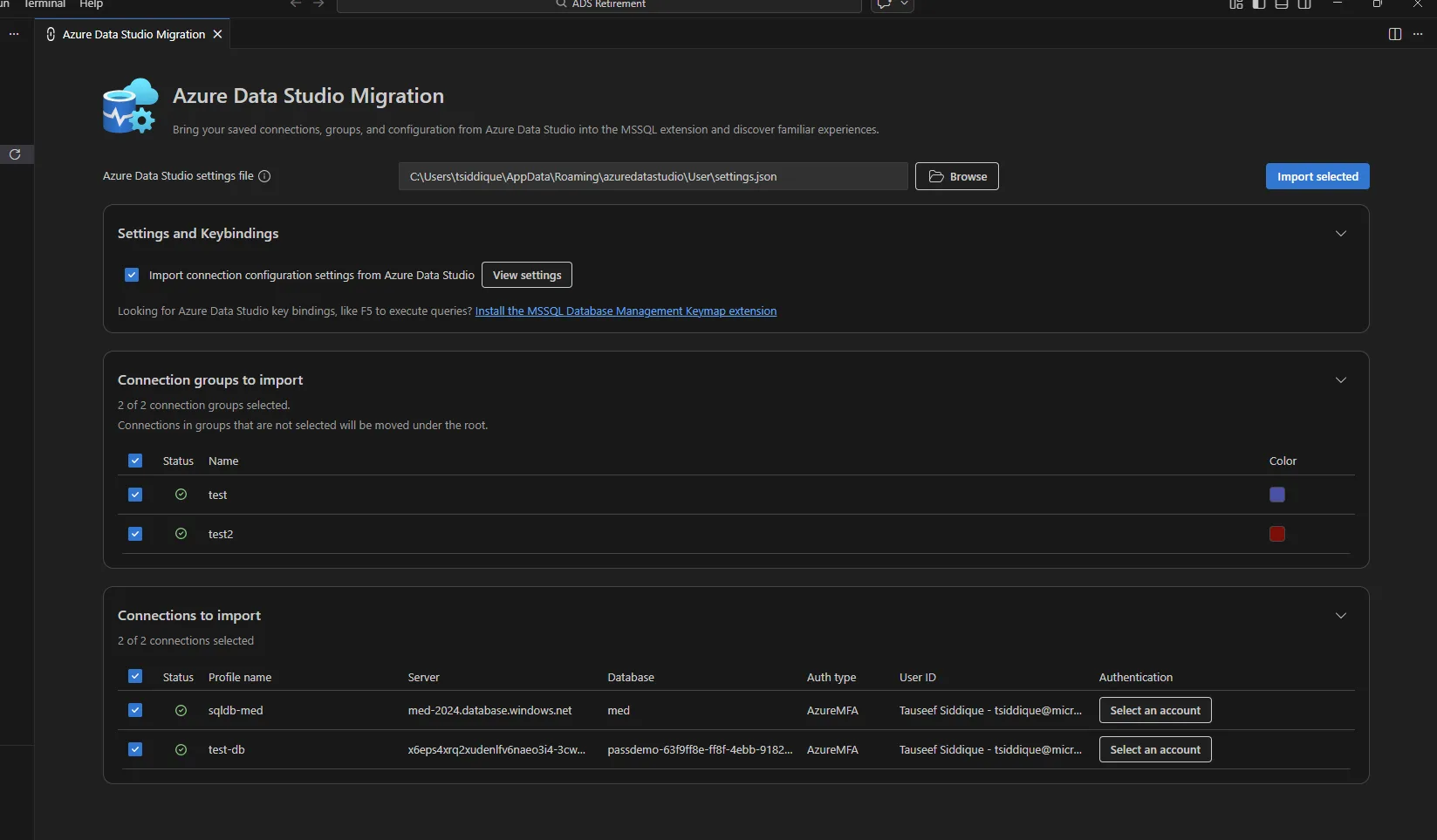
First, Azure Data Studio Migration Toolkit helps users smoothly transition from Azure Data Studio to the MSSQL extension for Visual Studio Code by importing their existing environment. It preserves key elements such as database connections, connection groups, supported settings, and familiar SQL keybindings, allowing users to continue working productively in VS Code with minimal disruption
Key highlights
- Imports existing database connections and connection groups from Azure Data Studio into the MSSQL Object Explorer, maintaining organization and metadata like server, database, and authentication details.
- Migrates supported editor and SQL-related settings to align behavior between Azure Data Studio and VS Code.
- Preserves familiar workflows by enabling ADS-style SQL keybindings via the MSSQL Database Management Keymap extension.
- Provides a guided migration flow through the MSSQL extension, allowing users to selectively import connections, groups, settings, and keybindings.
Database Object Search
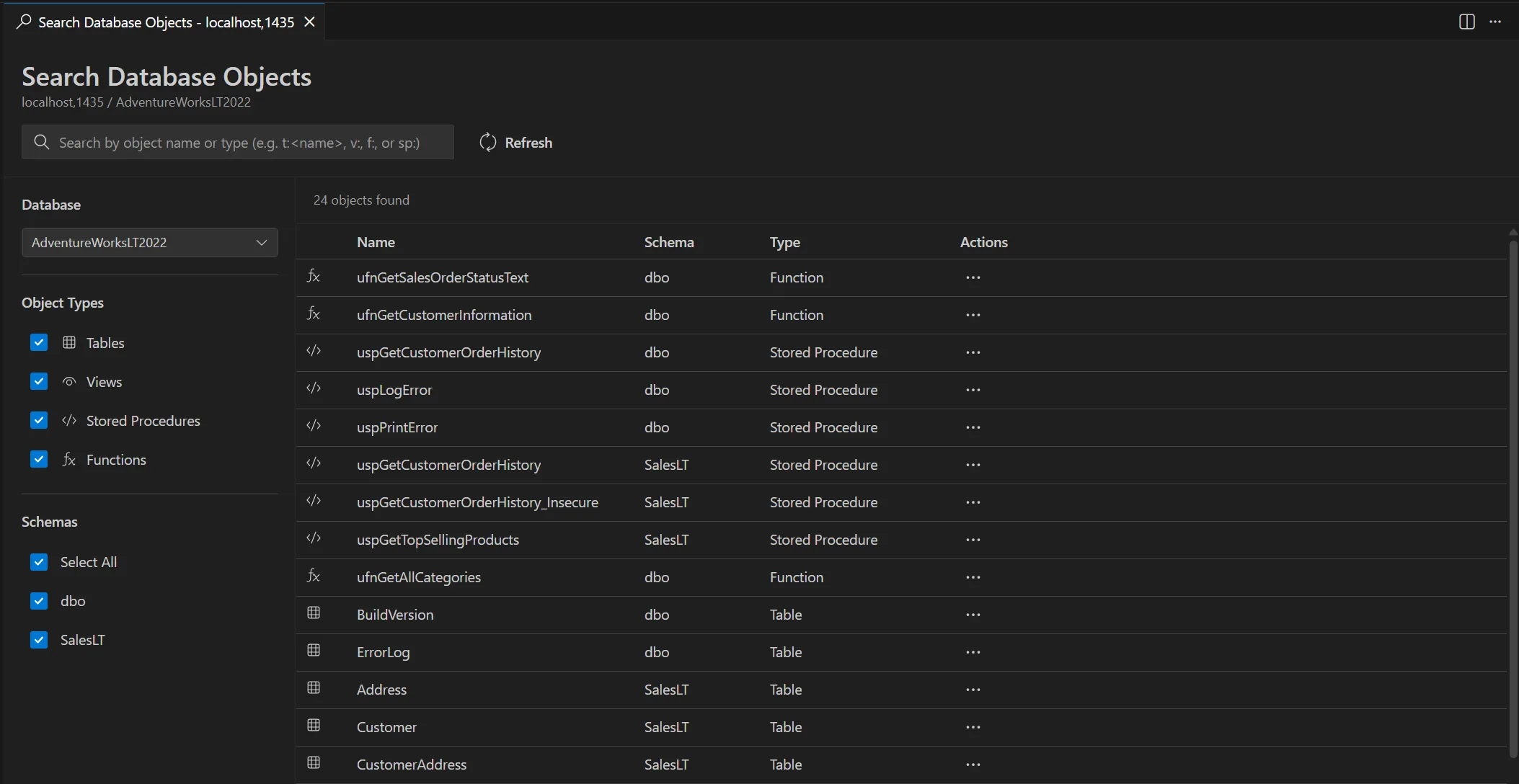
Additionally, the Database Object Search in the MSSQL extension for Visual Studio Code lets you quickly find tables, views, functions, and stored procedures. To open Database Object Search, right-click on the server or database node in the object explorer and select Search Database Objects from the menu. This opens a searchable list of objects in the selected database. In the search view, type an object name (partial matches work) or use type prefixes—t: (table), v: (view), f: (function), sp: (stored procedure)—for example,t:<TableName> or sp:<StoredProcedureName>. You can also switch databases from the left dropdown, filter by type or schema, and refresh results. Each result row includes an Actions menu (…) with common operations like full scripting options, Edit Data, Modify Data, Copy Object Name, etc.
Basic Database Management (Preview)
Next, Database Management Tools (Preview) in the MSSQL extension let you perform common database administration tasks directly from the editor UI, reducing context switching and simplifying day‑to‑day database management. The preview focuses on essential operations—creating, renaming, and dropping databases—through guided dialogs that surface relevant information and safeguards.Key highlights
- Create new databases quickly from a dialog where you specify the database name and owner, with the database appearing immediately in the server’s Databases list.
- Rename existing databases in place without leaving the editor, with simple confirm and cancel controls and automatic refresh in the object tree.
- Drop databases through a dedicated dialog that clearly shows database details.
Flat File Import (Preview)
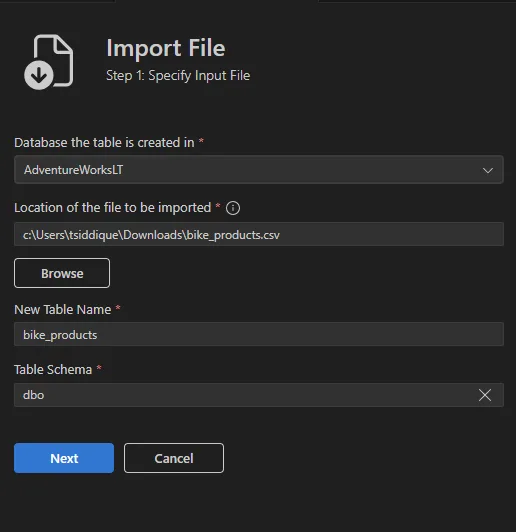
Furthermore, the Import Flat File (Preview) feature in the MSSQL extension lets you quickly create a new SQL Server table and load data from structured text files through a guided, end‑to‑end workflow. The experience analyzes the file, previews inferred schema and data, allows schema adjustments, and completes table creation and data import in a single flow, reducing manual setup and scripting.Key highlights
- Guided wizard that analyzes flat files and previews inferred schema and sample data before import.
- Supports common text‑based formats including .csv and .txt files with tabular data only.
- Allows schema customization, including column names, data types, primary keys, and nullability.
- Creates a new table and imports data in one continuous workflow from the MSSQL extension UI
Database Backup and Restore (Preview)
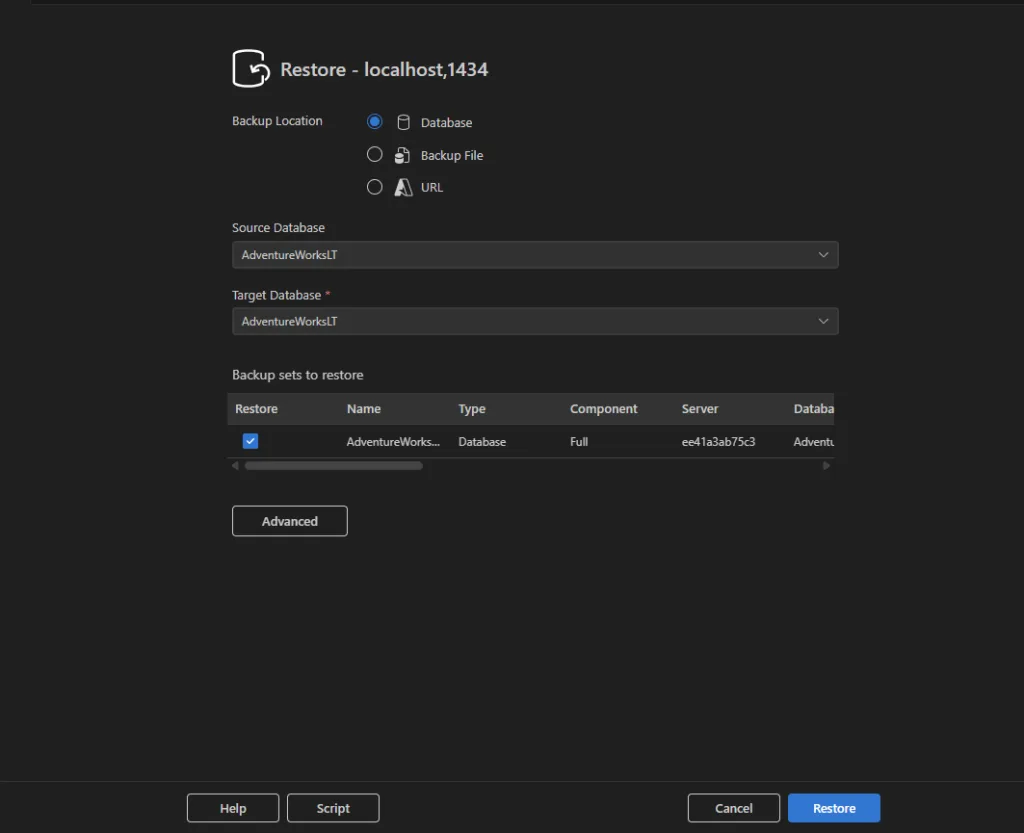
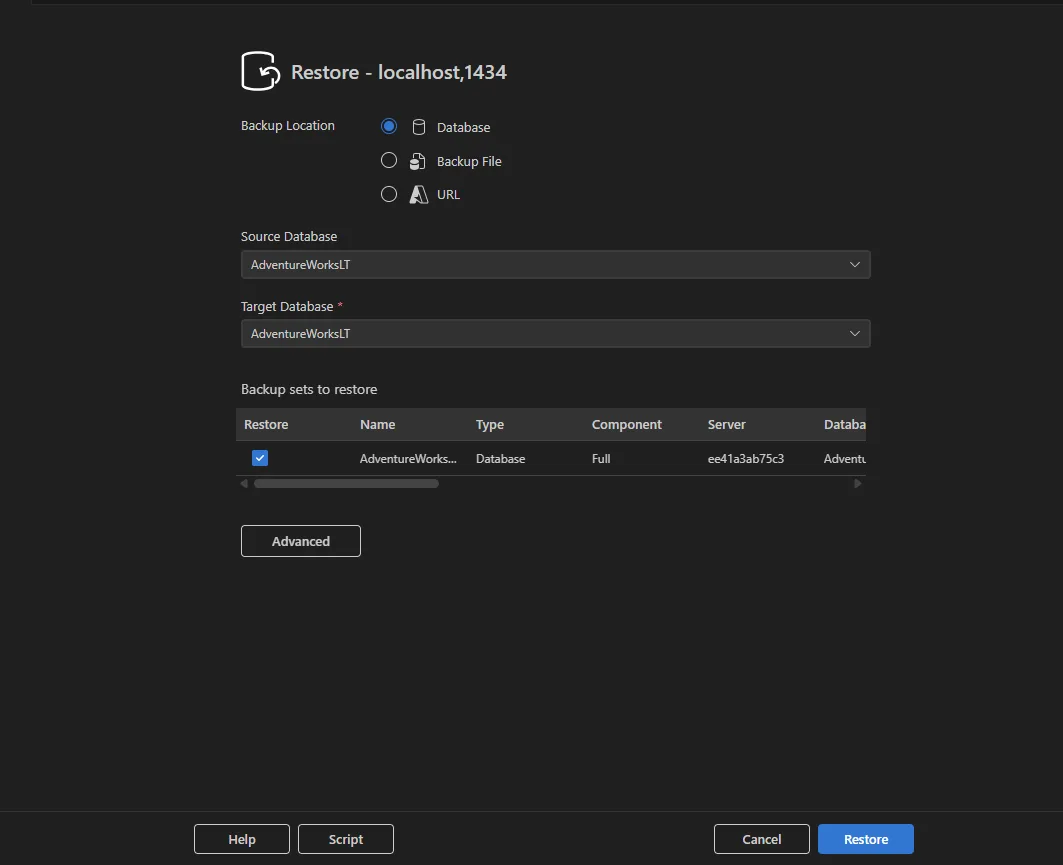
In addition, Database Backup and Restore (Preview) in the MSSQL extension for Visual Studio Code provides a guided, UI‑based experience for performing SQL Server backup and restore operations directly from Object Explorer. These preview features reduce the need for manual scripting while still allowing users to generate equivalent T‑SQL when needed, and support both local and Azure‑based workflowsKey highlights
- Launch Backup Database and Restore Database directly from the database context menu in Object Explorer.
- Create full, differential, or transaction log backups, with optional copy‑only support that does not affect the backup chain.
- Save backups either to disk or to Azure Blob Storage using a guided Azure account and storage selection flow.
- Restore databases from existing backup history, local .bak files, or Azure Blob Storage URLs, with visibility into available backup sets and metadata.
- Generate the equivalent T‑SQL script for backup and restore actions directly from the dialogs.
Query Profiler
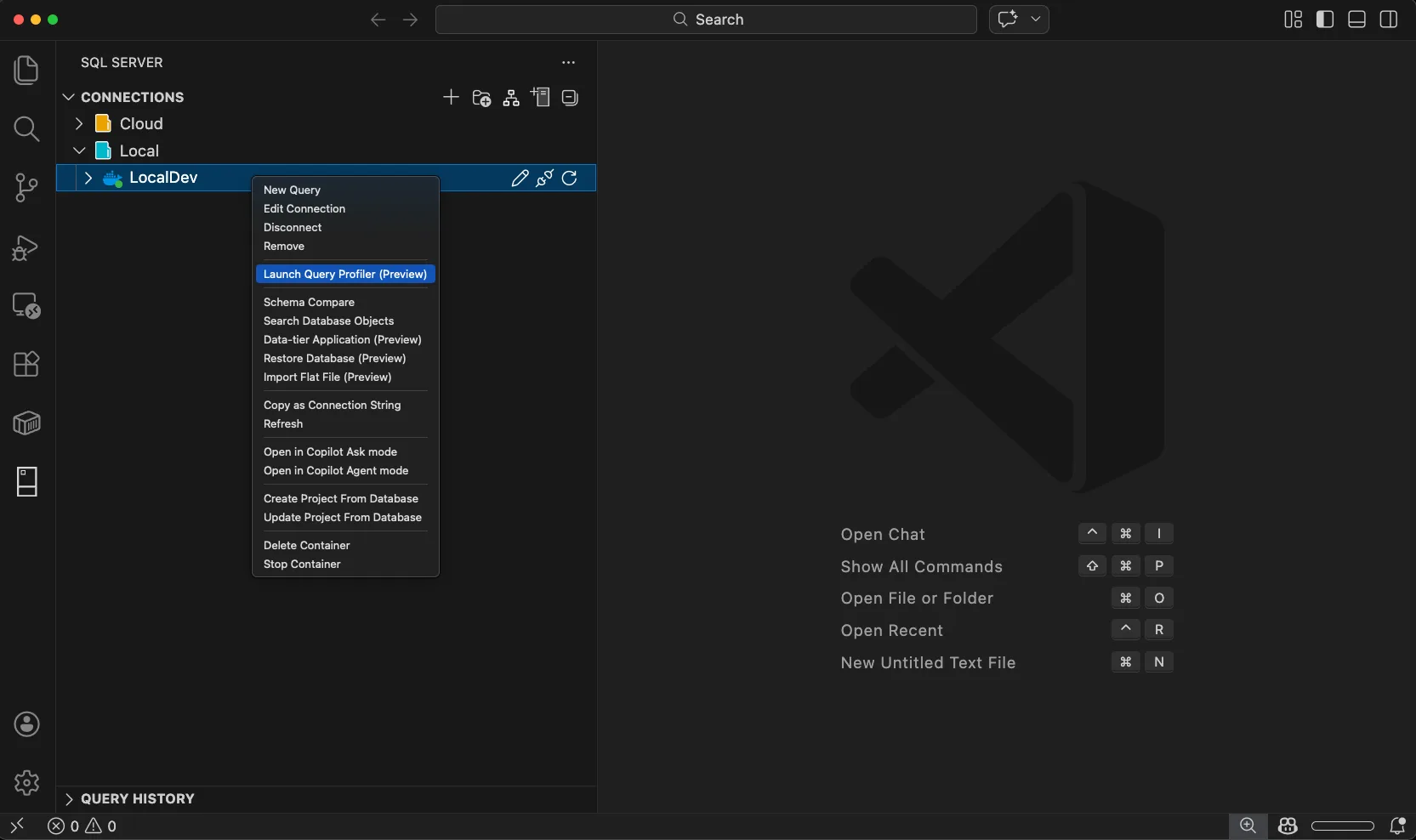
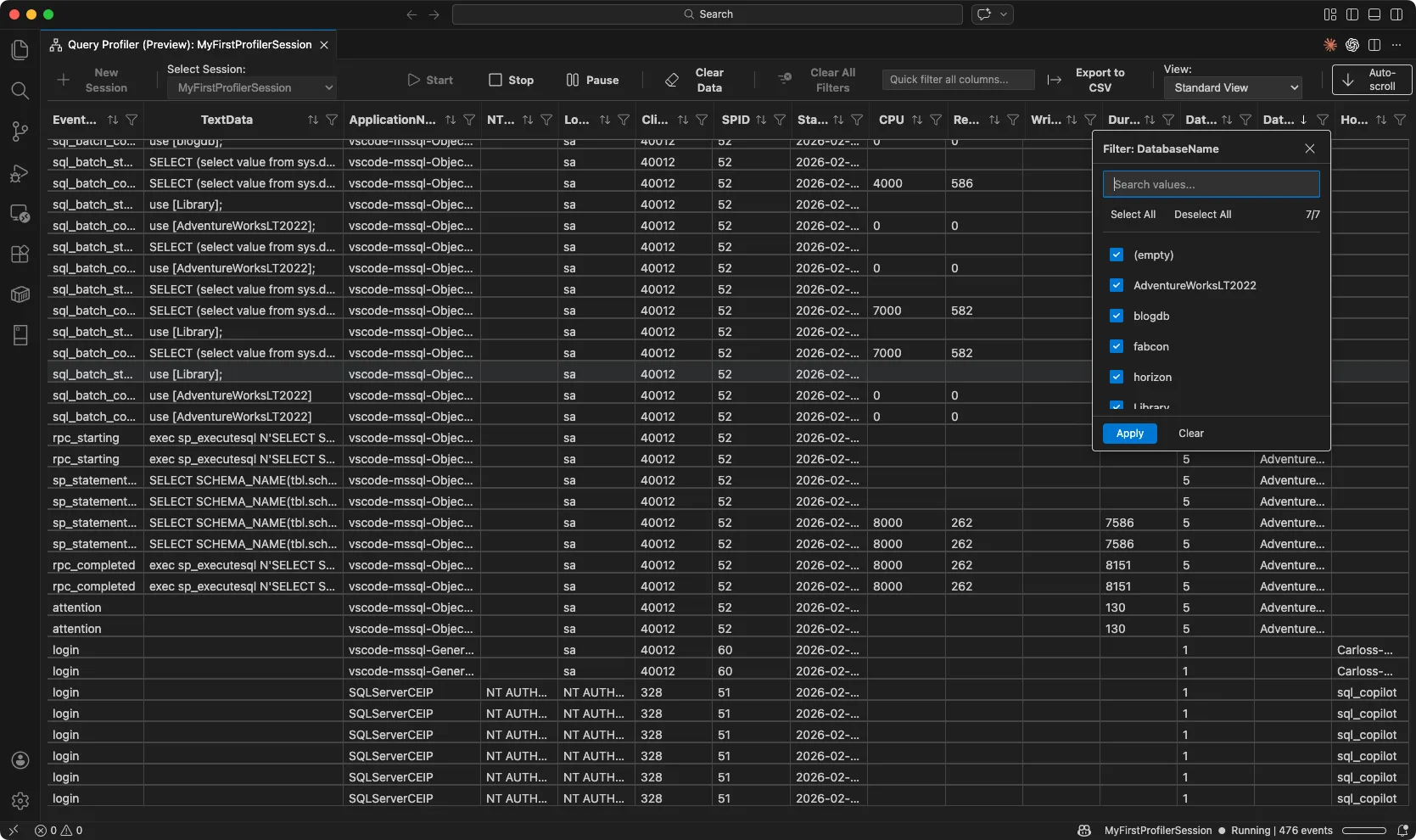
Finally, the MSSQL extension now includes Query Profiler, a real-time database activity monitor powered by Extended Events, directly inside VS Code. Query Profiler replaces the need to switch to external profiling tools by letting you capture, filter, and analyze live T-SQL activity without leaving your editor. To try it, right-click any server in Object Explorer and select Launch Query Profiler (Preview), or run MSSQL: Launch Query Profiler from the Command Palette.Key highlights
- Real-time event streaming – Capture live query activity in a scrollable events grid with columns like EventClass, TextData, Duration, and DatabaseName.
- Built-in templates – Choose from five profiling templates (
Standard_OnPrem,TSQL_OnPrem,TSQL_Locks,TSQL_Duration,Standard_Azure) with automatic selection for Azure SQL Database targets. - Column filters – Filter events by text values, numeric thresholds, or search across all columns with the quick filter.
- Multiple concurrent sessions – Run several profiling sessions at once, each with its own connection and template, and switch between them with the session selector.
- Export to CSV – Save captured events for offline review or sharing.
- Open XEL files – Load existing Extended Events trace files (
.xel) into the Profiler grid for review with full filtering capabilities.
Query Profiler helps developers identify slow queries, spot performance bottlenecks, and understand how their application interacts with the database during development and testing. It works with SQL Server (on-premises, VMs, containers) and Azure SQL Database. Learn more:
SQL Database Projects Publish Dialog (GA)
We've made some updates to SQL Database Projects in VS Code that streamline database development workflows. The Publish Dialog is now generally available. You can configure connections, review deployment options, and publish schema changes directly from the editor without writing SqlPackage commands manually. For teams using CI/CD, the dialog generates the equivalent command that you can drop into your pipeline scripts. We've also expanded item templates to cover more database object types. When you add a stored procedure, view, table, or other schema object to your project, you'll start with structured code instead of an empty file, making it faster to build out your database schema. Both features are available in the latest version of the SQL Database Projects extension for VS Code.Other updates
- SQL 2025 SQL Containers on ARM — Added support back for SQL Server 2025 containers on ARM-based macOS devices.
- SQL Database Projects bug fixes — Fixed several issues related to database references and building projects in VS Code.
- Quality improvements — Enhanced performance and usability of the query results grid, fixed accessibility issues affecting error messages and UI feedback, and addressed edge case errors in GitHub Copilot Agent Mode when switching connections.
Conclusion
The v1.40 release introduces the ADS Migration Toolkit, Basic Database Management, Flat File Import, Database Backup & Restore, Database Object Search, and Query Profiler — six major updates that streamline Azure Data Studio migration, essential database operations, and real-time performance monitoring. Together, these capabilities make the MSSQL extension more powerful, more integrated, and more developer-friendly than ever.
If there’s something you’d love to see in a future update, here’s how you can contribute:- 💬 GitHub discussions – Share your ideas and suggestions to improve the extension
- ✨ New feature requests – Request missing capabilities and help shape future updates
- 🐞 Report bugs – Help us track down and fix issues to make the extension more reliable
Want to see these features in action?
Thanks for being part of the journey—happy coding! 🚀Post Updated on 2026-02-25T17:00:27Z
Thanks for reading
from devamazonaws.blogspot.com

Comments
Post a Comment