[MS] 🚀React Native Windows v0.82 is here!! - devamazonaws.blogspot.com
React Native Windows v0.82 is here, marking a major milestone: the legacy Paper architecture has been fully removed. All applications now run exclusively on the New Architecture (Fabric), and this release also unlocks XAML controls for community modules — so Windows apps can seamlessly mix native XAML controls with React components. This release is aligned with React Native 0.82 and delivers a Fabric-only foundation, Windows-specific advancements including XAML UI Hosting, significant component parity improvements, and extensive reliability and stability fixes.
 🔗 For a full list of known gaps, see: Missing Properties · React Native for Windows
Post Updated on April 3, 2026 at 08:53AM
Thanks for reading
from devamazonaws.blogspot.com
🧵 Fabric-Only Architecture
Starting with React Native Windows v0.82, the platform is built on a Fabric-only foundation. Support for the legacy Paper-based rendering model has been fully removed. This is a significant architectural shift that establishes a consistent, modern baseline for scalability, reliability, and future platform evolution. Here's what this means for you: Paper is no longer supported. The legacy Paper renderer and its associated code have been removed from the codebase entirely. All applications must run on Fabric. Fabric alignment is required before upgrading. If your app is still on Paper, you must migrate to Fabric before upgrading to v0.82. This ensures your application is aligned with the platform's long-term architectural direction. A consistent modern baseline. By consolidating on Fabric, all future investments — including performance optimizations, new features, and platform APIs — are focused on a single, modern architecture. > If you haven't migrated yet, follow the Migration Guide · React Native for Windows to transition your app from Paper to Fabric.🧱 Breaking changes
Legacy Paper Support Removed If your application is still running on the Paper architecture, it will not work with React Native Windows v0.82. This change aligns with Meta's broader direction for React Native, where the Old Architecture is being deprecated and removed across all platforms. By moving to Fabric now, your application is positioned for continued support, improved performance, and access to all future platform features.🔥 What’s New in RNW v0.82?
Enable XAML Controls in Community Modules on New Architecture
- One of the most requested capabilities for React Native Windows has arrived: community modules can now use native XAML controls within the Fabric (New Architecture) renderer.
- Previously, integrating native Windows XAML controls — such as calendar, pickers or custom enterprise controls — into a React Native Windows app required workarounds or was limited to the legacy Paper architecture. With v0.82, this barrier is removed.
- How it works: Community and third-party module authors can now create native components that render XAML controls directly inside the Fabric component tree. This means your Windows app can mix React components and native XAML controls side by side, with proper layout, hit-testing, and accessibility support.
- Why this matters: Richer Windows experiences - Use the full power of the Windows XAML control library — including WinUI controls, custom controls, and platform-specific UI — right alongside your React components.
- Unblocks community modules - Module authors no longer need to wait for every control to be re-implemented in Composition. They can wrap existing XAML controls and expose them as React Native components.
- Smooth interop - XAML controls hosted this way participate in the standard React Native layout and rendering pipeline, so they behave predictably alongside other components.
Accessibility Override for Third-Party Modules
- React Native Windows v0.82 introduces a new accessibility override API for third-party (3P) modules, giving module authors fine-grained control over how their custom native components are exposed to screen readers and assistive technologies.
- Previously, custom native components in community modules inherited default accessibility behavior from the framework, with limited ability to customize properties like roles, labels, live regions, or automation IDs. This made it difficult for module authors to deliver fully accessible experiences — especially for complex controls that don't map neatly to built-in component types.
- How it works: Module authors can now override the default accessibility provider for their custom native components. This lets you define exactly how your component is announced by a screen reader, which UI Automation (UIA) properties it exposes, and how it responds to accessibility queries — all without modifying the core framework.
- Why this matters: Fully accessible community modules - Module authors can ensure their components work correctly with Narrator, and other Windows assistive technologies out of the box.
- Custom roles and properties - Define custom UIA roles, labels, and states that accurately describe your component's purpose and behavior to users who rely on assistive technology.
- Better end-user experience - Apps that use third-party modules can now deliver a consistent, accessible experience across all components — both built-in and community-provided.
⚙️ Component Enhancements
Recent enhancements to React Native Windows v0.82 bring a host of new capabilities and parity improvements to core components, aimed at delivering a smoother, more complete, and accessible user experience.
Text
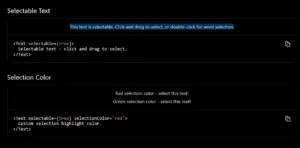
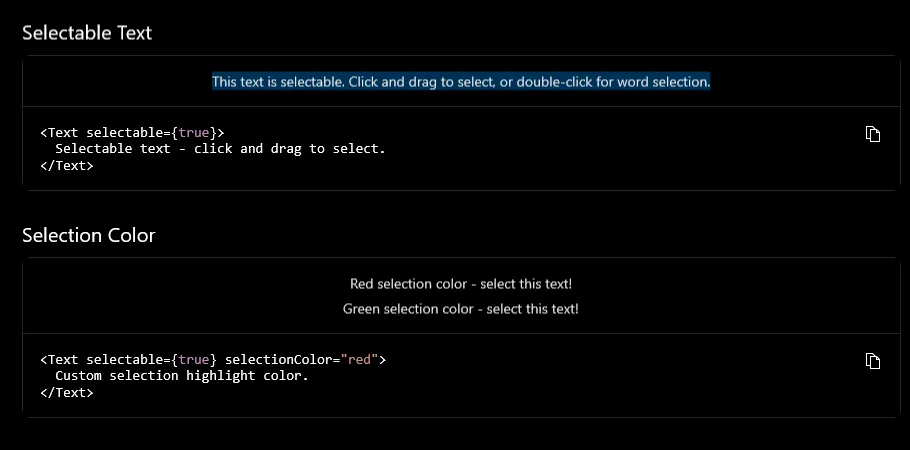
- Text selection support for Fabric Text components — users can now select and copy text content.
- Overflow handling improvements, giving developers more control over how text behaves when it exceeds its container.
- selectionColor support for Fabric Text, allowing customization of the text selection highlight color.
TextInput
- Selection prop support — programmatic control over cursor position and text selection range.
- textAlign support — align text content (left, center, right) within the input.
- writingDirection support — set the writing direction (LTR/RTL) for internationalized apps.
- Italic, underline, and strikethrough styling — apply rich text formatting directly to TextInput content.
ScrollView
- pagingEnabled parity — ScrollView now supports page-based snapping behavior, aligned with iOS and Android, enabling swipeable page layouts and carousels.
ContextMenu
- ContextMenu implementation in Fabric — right-click / long-press context menus are now available in the New Architecture, enabling standard Windows interaction patterns within your React Native app.
Accessibility
- Deferred initialization of UIA accessibility providers — accessibility providers is now initialized on demand rather than upfront, resulting in improved startup performance for apps with large component trees.
- UI Automation (UIA) improvements for XAML Fabric — better integration between Fabric-rendered components and the Windows UI Automation framework, ensuring screen readers and assistive technologies work correctly.
- Ability to customize native accessibility for custom native components — module authors and app developers can now override and fine-tune the accessibility properties exposed by their custom native components.
🔧 Reliability & Stability
Immense effort went into making apps more robust in this release. Key fixes include:
- Fixed crashes when switching bundles — apps that dynamically load different JS bundles no longer crash during the transition.
- Fixed crashes when loading images offline — image components handle network unavailability gracefully instead of crashing.
- Fixed crashes when closing modals — modal dismissal no longer triggers race conditions or null-reference crashes.
- DevTools overlays now behave correctly on high-DPI displays — layout and positioning of developer tool overlays are now accurate across different display scale factors.
- Tooltip positioning corrected across scale factors — tooltips render at the correct screen location regardless of the display's DPI setting.
- Improved handling of accessibility properties (e.g., `UIA_LiveSettingPropertyId`) — live region announcements and dynamic content updates are now reported correctly to screen readers.
- Improved inspector page naming in the modern debugger— DevTools inspector pages now display clearer, more descriptive names, making it easier to identify and debug specific components.
📊 Feature Parity Progress
With the removal of Paper and the consolidation on Fabric, all core components, APIs, and functionality are now being delivered exclusively through the New Architecture. This release closes several remaining parity gaps:- Text selection, overflow, and selectionColor for Text components
- ScrollView pagingEnabled
- TextInput selection, textAlign, and writingDirection
- ContextMenu in Fabric
- Rich text styling (italic, underline, strikethrough) for TextInput
Known Limitation
- keyboardType— The `keyboardType` prop is supported but has limitations on Windows. Not all keyboard type values behave identically to iOS and Android due to platform differences in soft keyboard handling. See issue #15572 for details and current status.
🏁 Gallery App Updates
Install the latest React Native Gallery (0.82) to explore all the new features and component enhancements in action. Search "React Native Gallery" in the Microsoft Store or use the direct link. The Gallery app now runs exclusively on the Fabric renderer, reflecting the Fabric-only direction of the platform. The Gallery app is the best way to see how each component looks and behaves on Windows, and we encourage you to use it as a reference when building or migrating your own apps.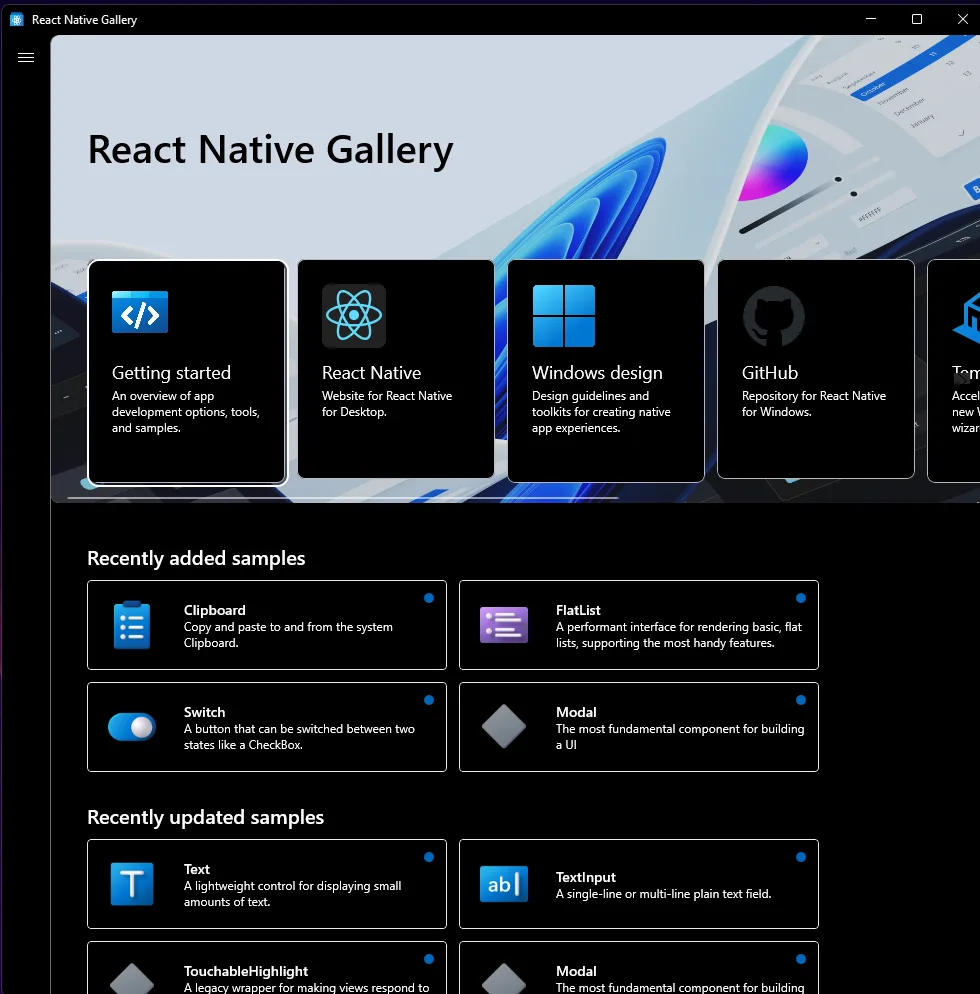
📦 Release Details
- Version: React Native Windows v0.82.0
- Released: March 17, 2026
- Covers commits: August 2, 2025 – January 15, 2026 github.com
🔗 Reference Links
- React Native Windows Documentation
- React Native Windows GitHub
- Fabric Architecture Overview
- Migration Guide (Paper → Fabric)
- Upgrading Your App
Post Updated on April 3, 2026 at 08:53AM
Thanks for reading
from devamazonaws.blogspot.com
Comments
Post a Comment