[MS] Automating your Visual Studio extension builds with GitHub Actions - devamazonaws.blogspot.com
If you’re building and maintaining Visual Studio extensions, you’ve probably ended up with some sort of build and publishing workflow - whether it’s manual, scripted, or stitched together over time.
This post is for extension authors who want a simple, repeatable way to build, version, and publish their VSIX files using GitHub Actions.
I’m going to show how I do this across my own extensions.
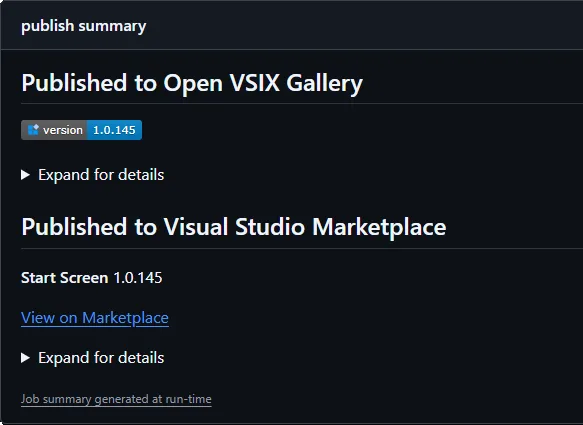 I’ve been using this approach for a long time, and over time I pulled the most repetitive pieces into a few small reusable actions, so I don’t have to keep rewriting the same logic in every repo.
Those are:
I’ve been using this approach for a long time, and over time I pulled the most repetitive pieces into a few small reusable actions, so I don’t have to keep rewriting the same logic in every repo.
Those are:
Post Updated on June 29, 2026 at 03:00PM
Thanks for reading
from devamazonaws.blogspot.com
I’ve been using this approach for a long time, and over time I pulled the most repetitive pieces into a few small reusable actions, so I don’t have to keep rewriting the same logic in every repo.
Those are:
- vsix-version-stamp – keeps your versioning in sync
- publish-vsixgallery – publishes CI builds for testing
- publish-marketplace – publishes to the Visual Studio Marketplace
name: Build
on:
  push:
    branches: [ main ]
  pull_request:
    branches: [ main ]

jobs:
  build:
    runs-on: windows-latest

    env:
      Configuration: Release
      VsixManifestPath: src\source.extension.vsixmanifest
      VsixSourcePath: src\source.extension.cs

    steps:
      - uses: actions/checkout@v6

      - name: Setup MSBuild
        uses: microsoft/setup-msbuild@v3

      - name: Restore
        run: msbuild /t:Restore

      - name: Version stamp
        uses: madskristensen/vsix-version-stamp@v2
        with:
          manifest-file: ${{ env.VsixManifestPath }}
          vsix-token-source-file: ${{ env.VsixSourcePath }}

      - name: Build
        run: msbuild /p:Configuration=$(Configuration)

      - name: Publish to VSIX Gallery
        uses: madskristensen/publish-vsixgallery@v1
        with:
          vsix-file: '**/*.vsix'

      - name: Publish to Marketplace
        uses: madskristensen/publish-marketplace@v2
        with:
          extension-file: '**/*.vsix'
          publish-manifest-file: vs-publish.json
personal-access-code: ${{ secrets.VS_MARKETPLACE_TOKEN }}Keeping your version in sync
Versioning is one of those things that’s easy to get wrong. The vsix-version-stamp action updates your version during the build, so you don’t have to think about it. It works especially well together with the VSIX Synchronizer extension, which generates a .cs file from your .vsixmanifest. That gives you:- A single source of truth
- Version available in code
- No manual edits before publishing
Publishing to the Visual Studio Marketplace
Once you have a VSIX, publishing it to the Marketplace is straightforward. You only need a single secret:- VS_MARKETPLACE_TOKEN
- name: Publish to Marketplace
  uses: madskristensen/publish-marketplace@v2
  with:
    extension-file: '**/*.vsix'
    publish-manifest-file: vs-publish.json
personal-access-code: ${{ secrets.VS_MARKETPLACE_TOKEN }}Publishing to a VSIX Gallery (for CI builds and testing)
The publish-vsixgallery action serves a different purpose. It’s for quickly sharing builds. I primarily use it when I want someone to try out a fix or validate a change before it goes to the Marketplace.- name: Publish to VSIX Gallery
uses: madskristensen/publish-vsixgallery@v1
with:
vsix-file: '**/*.vsix'- name: Publish to VSIX Gallery
uses: madskristensen/publish-vsixgallery@v1
with:
vsix-file: '**/*.vsix'
gallery-url: 'https://your-gallery.example.com'Mixing and matching
You don’t have to use all three actions. Some common setups: Minimal- Build + Marketplace publish
- Build + VSIX Gallery publish
- Version stamping + build + gallery + Marketplace
When to use what
- VSIX Gallery Use this for testing, sharing builds, and quick validation
- Visual Studio Marketplace Use this for official releases
- CI builds go to a gallery
- Stable builds go to the Marketplace
Wrap-up
This is the setup I use across my extensions. It keeps things predictable, makes it easy to share builds, and removes most of the repetitive steps from the release process. You don’t need to adopt all of it. Start with the parts that make sense for your workflow and build from there.Post Updated on June 29, 2026 at 03:00PM
Thanks for reading
from devamazonaws.blogspot.com

Comments
Post a Comment