[MS] Spring AI 2.0 is GA: Vector Search, Memory, and Agents on Azure Cosmos DB - devamazonaws.blogspot.com
The wait is over. Spring AI 2.0 is generally available, and Azure Cosmos DB is right there with it. With this release, Spring AI graduates into a mature, production-ready framework for building AI applications in Java, and Azure Cosmos DB ships dedicated, vendor-maintained integrations that plug straight into the Spring AI ecosystem.
The Spring AI 2.0 GA announcement names Azure Cosmos DB among its vendor-maintained modules, maintained directly by Microsoft rather than the core Spring AI team. This means the integration is built and supported by the engineers who work on Cosmos DB itself, bringing deep, first-hand knowledge of how to get the most out of it.
If you are a Java or Spring developer building RAG pipelines, chatbots, or multi-agent systems, this is a great moment to start (or restart) on Azure Cosmos DB.
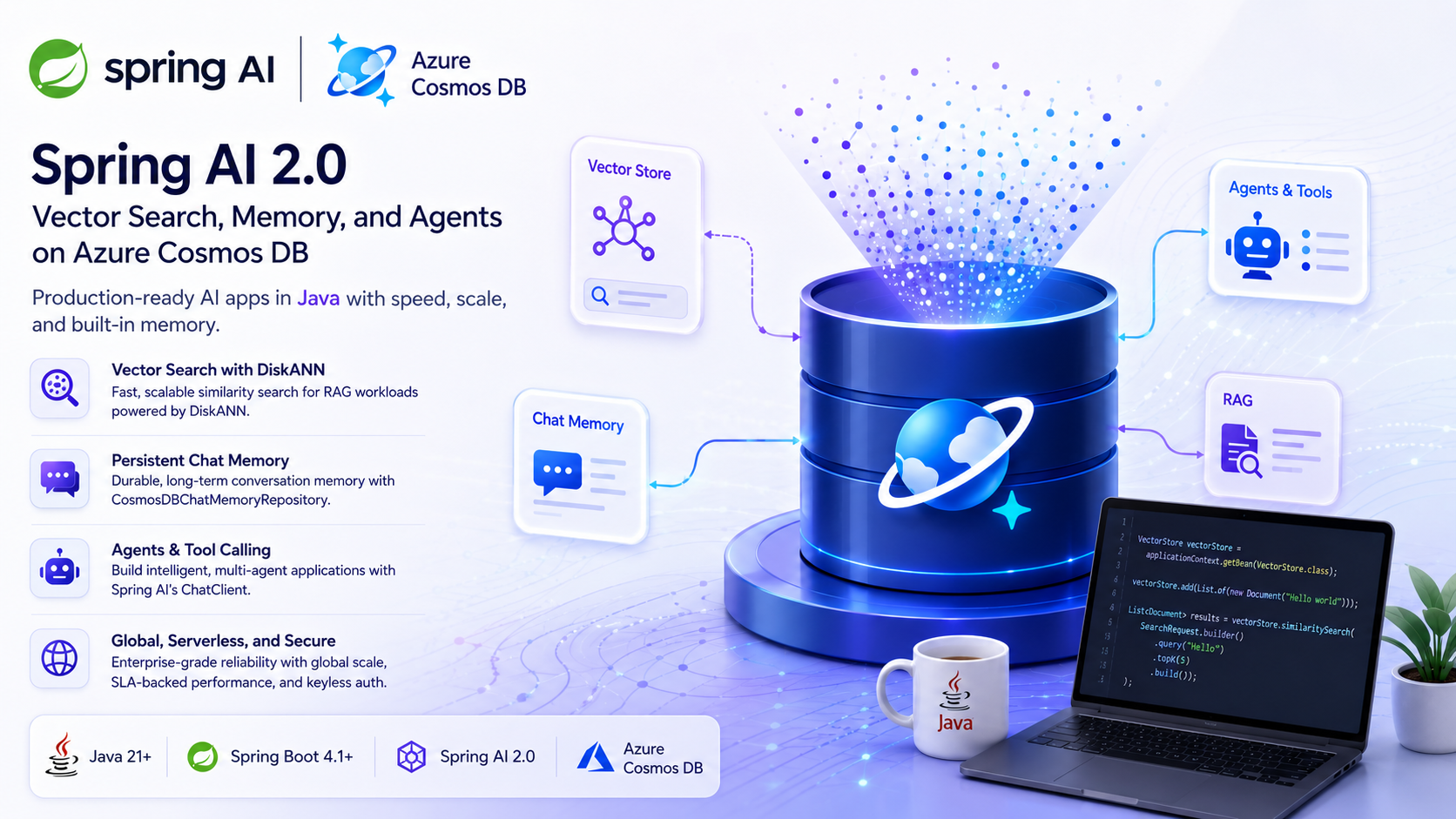
What changed in Spring AI 2.0 (and why it's good news for Cosmos DB)
Spring AI 2.0 brings a cleaner, more modular architecture built on Spring Boot 4.1 and Spring Framework 7, with a fully null-safe (JSpecify) codebase, Jackson 3 serialization, and stable abstractions for vector stores, chat memory, tool calling, and the ChatClient API. As part of this evolution, vendor-specific integrations now live in their own dedicated repositories rather than the core monorepo.
For Azure Cosmos DB, that means a purpose-built home with its own release cadence, changelog, roadmap, and documentation site. These modules implement Spring AI's standard interfaces, so you can swap implementations without rewriting application code, while getting the full power of Azure Cosmos DB underneath: global distribution, elastic scale, SLA-backed performance, and a vector index designed for production AI workloads.
What's in the box
The repository ships four modules, published under the com.azure.spring.ai group ID:
| Module | What it does |
|---|---|
spring-ai-azure-cosmos-db-store |
Vector store backed by Azure Cosmos DB, powered by the DiskANN index for fast, scalable similarity search |
spring-ai-autoconfigure-vector-store-azure-cosmos-db |
Zero-config Spring Boot auto-configuration for the vector store |
spring-ai-model-chat-memory-repository-cosmos-db |
A ChatMemoryRepository implementation for durable, long-term conversation memory |
spring-ai-autoconfigure-model-chat-memory-repository-cosmos-db |
Zero-config Spring Boot auto-configuration for chat memory |
🗄️ Vector search with DiskANN
The vector store stores document embeddings in Azure Cosmos DB and serves similarity queries using DiskANN, Microsoft Research's disk-based approximate nearest neighbor algorithm. DiskANN delivers low-latency, high-recall vector search that scales to large datasets, so your retrieval-augmented generation (RAG) workloads stay fast as your data grows, all from the same database that holds your operational data.
💬 Persistent chat memory
The CosmosDBChatMemoryRepository implements Spring AI's native ChatMemoryRepository interface, giving your agents durable, long-term memory that survives restarts and spans sessions. Conversation history is partitioned by /conversationId for predictable performance, and the database and container are created automatically, with no manual schema setup required.
Get started in minutes
Add the auto-configuration dependency:
<dependency>
    <groupId>com.azure.spring.ai</groupId>
    <artifactId>spring-ai-autoconfigure-vector-store-azure-cosmos-db</artifactId>
    <version>1.0.0</version>
</dependency>
Configure your connection in application.properties:
spring.ai.vectorstore.cosmosdb.endpoint=https://your-account.documents.azure.com:443/
spring.ai.vectorstore.cosmosdb.databaseName=my-database
spring.ai.vectorstore.cosmosdb.containerName=my-vectors
spring.ai.vectorstore.cosmosdb.vectorDimensions=1536
Then inject and use the standard Spring AI VectorStore:
@Autowired
private VectorStore vectorStore;

// Add documents
vectorStore.add(List.of(new Document("Hello world")));

// Search
List<Document> results = vectorStore.similaritySearch(
    SearchRequest.builder().query("Hello").topK(5).build());
Wiring up chat memory is just as simple:
@Autowired
CosmosDBChatMemoryRepository chatMemoryRepository;

ChatMemory chatMemory = MessageWindowChatMemory.builder()
    .chatMemoryRepository(chatMemoryRepository)
    .maxMessages(10)
    .build();
That's it. Spring Boot auto-configuration handles client creation, container provisioning, and credential resolution.
Built for production
This release was tuned for real-world Spring Boot 4.x deployments:
- Keyless authentication by default. Omit the key, and the modules authenticate with DefaultAzureCredential: managed identity, service principal, or your local Azure login. No secrets in config.
- Choose your vector index. A new
vectorIndexTypeoption lets you selectDISK_ANN(the default),QUANTIZED_FLAT, orFLAT, so you can develop against the Azure Cosmos DB Emulator and serverless accounts, then move to DiskANN in production without code changes. - Direct (RNTBD) mode on Spring Boot 4.x. Updated Azure SDK dependencies restore high-throughput Direct connectivity under the latest Spring Boot and Netty stack.
- Standard Spring AI abstractions. Everything implements the framework's interfaces, keeping your code portable and idiomatic.
Requirements: Java 21+, Spring Boot 4.1+, Spring AI 2.0+, and an Azure Cosmos DB account (NoSQL API).
See it in action: the multi-agent sample, refreshed
We've updated our popular multi-agent-spring-ai sample, a personal-shopper AI assistant that routes between Product, Sales, and Refund agents, to take full advantage of Spring AI 2.0 and the new Cosmos DB modules.
The biggest change: the sample has been refactored to use the native Spring AI chat memory repository, replacing its earlier custom implementation. The result is less code, cleaner abstractions, and memory that's fully managed through Spring AI's standard ChatMemory interface, while still storing every message and routing decision durably in Azure Cosmos DB.
This also rides on Spring AI 2.0's stable, composable building blocks for agents. The sample uses @Tool-annotated methods that the ChatClient invokes through Spring AI's automatic tool-calling loop, structured output for agent routing, and a chat memory advisor that reads and writes conversation history to Azure Cosmos DB. With these abstractions now stable in 2.0, multi-agent orchestration over Cosmos DB data takes less custom plumbing.
The sample brings together the whole stack in one app:
- ✅ Multi-agent orchestration built on Spring AI's
ChatClientand tool calling - ✅ RAG via DiskANN-powered vector search in Azure Cosmos DB
- ✅ Chat memory through the native Cosmos DB
ChatMemoryRepository - ✅ Transactional data managed with Spring Data and Cosmos DB
- ✅ Multi-tenant sessions using hierarchical partition keys
- ✅ One-command deployment with
azd up: Cosmos DB, Azure OpenAI, managed identity, and RBAC provisioned automatically
If you want a deeper walkthrough of the sample, see our earlier post: Building Multi-Agent AI Apps in Java with Spring AI and Azure Cosmos DB.
Try it yourself
Spring AI 2.0 plus Azure Cosmos DB gives Java developers a fast, scalable, and idiomatic path to production-grade AI apps, with vector search and memory included and no second database to operate.
- 📦 Get the modules: github.com/AzureCosmosDB/spring-ai
- 📖 Read the docs: Spring AI Cosmos DB documentation
- 🤖 Run the sample: github.com/AzureCosmosDB/multi-agent-spring-ai
- 📚 Learn more: Vector search in Azure Cosmos DB
We'd love to see what you build. Star the repos, open an issue, or send a pull request. These integrations are vendor-maintained, and contributions are very welcome.
About Azure Cosmos DB: Azure Cosmos DB is a fully managed and serverless NoSQL and vector database for modern app development, including AI applications. With its SLA-backed speed and availability as well as instant dynamic scalability, it is ideal for real-time NoSQL and vector workloads that require high performance and global distribution. To stay in the loop, follow us on X, YouTube, and LinkedIn.
Post Updated on June 29, 2026 at 08:00AM
Thanks for reading
from devamazonaws.blogspot.com

Comments
Post a Comment