[MS] What's New in Microsoft Foundry | June 2026 - devamazonaws.blogspot.com
Here's what shipped in Microsoft Foundry in June 2026 — Claude reached general availability, Foundry agents started publishing straight into Microsoft 365 Copilot and Teams, and Toolboxes, Routines, and Memory all got meaningfully more capable.
Tool Search matters most once a Toolbox grows past a handful of tools: at 200+ tools, sending every schema on every turn burns input tokens, crowds the context window, and increases the odds the model picks a similar-but-wrong tool. With Tool Search enabled, the agent describes its intent, discovers the right tools, and calls them — and you can still pin critical tools, add context that matches how your team thinks about a tool, or auto-pin frequently used tools so they bypass the search round-trip.
Getting a toolbox in front of a hosted agent is a two-command flow with 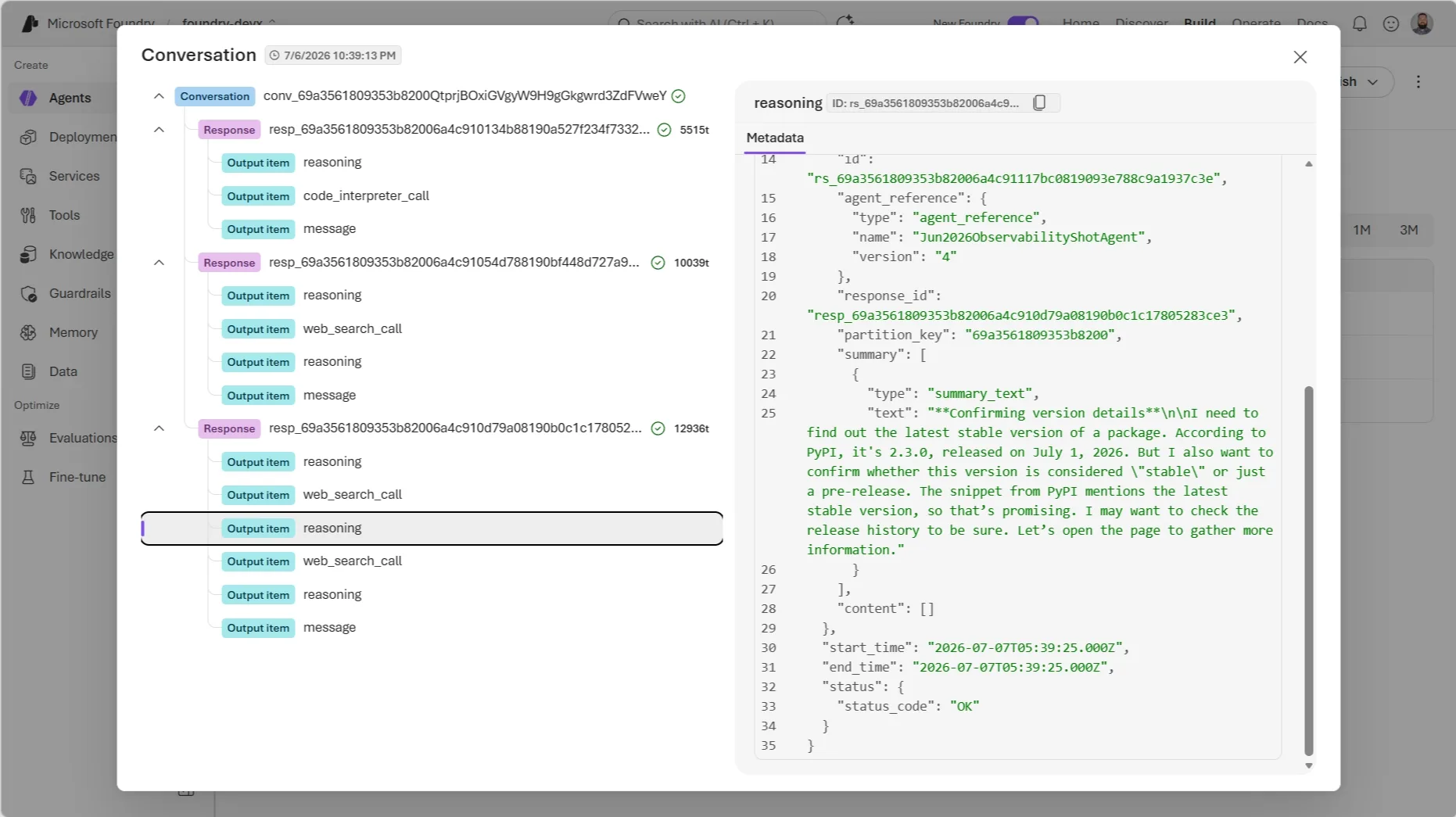
Voice Live API
The Voice Live API's
Post Updated on July 7, 2026 at 08:10AM
Thanks for reading
from devamazonaws.blogspot.com
TL;DR
- Claude is now generally available in Microsoft Foundry: Anthropic's Claude models are hosted on Azure with the Messages API, prompt caching, extended thinking, and tool streaming — and Foundry Agent Service can use Claude as the reasoning core for multi-step agents.
- Foundry agents can now publish to Microsoft 365 Copilot and Teams (GA): This fulfills the "GA in June 2026" commitment from Build. Agents move through one governed publishing pipeline instead of separate rebuilds per surface.
- Foundry autopilot agents (public preview): A new agent category with its own Entra Agent ID, productivity license, email, calendar, and Teams presence — designed to work inside shared spaces like group chats, not just one-on-one chat.
- Workstream Manager sample agent: A ready-to-customize autopilot agent for Teams group chats that tracks tasks, summarizes conversations into action items, and follows up on overdue work.
- Toolboxes add Skills, Work IQ, Fabric IQ, Browser Automation, and Tool Search (all preview): Plus Routines (preview) in Foundry Agent Service for scheduled and triggered agent run control.
- Agent Optimizer enters private preview: A closed-loop evaluate → generate candidates → rank → deploy workflow for hosted agents, opening to public preview roughly 30 days after its June 3 announcement.
- Memory gets more production-ready: New procedural memory, management experiences, and time-to-live (TTL) controls.
- Foundry joins the OpenEnv standard: A new post ties hosted agents, Toolboxes, Memory, Managed Compute, and the evaluation/optimization stack into one reinforcement-learning "hill-climbing loop," including Foundry post-training via Tinker and ECHO.
- Foundry Local on Azure Local: Multi-node Kubernetes deployment, disconnected/air-gapped operation, a new vLLM inference runtime option, automatic GPU inference tuning, and model caching.
- Voice Live API
2026-06-01-preview: Adds theazure-realtime-nativestructured voice type and a client-side echo cancellation reference option. - SDK & Language Changelog: Java ships
azure-ai-projects2.1.0 (GA) with new Data Generation, Models, and Routines preview clients; .NET ships 2.1.0-beta.4; Python and JS/TS are both converging on a 2.3.0 release that promotes Hosted Agents and Toolboxes from beta to stable — a strong signal that hosted agents' GA (promised "early July 2026" at Build) is close.
Join the community
Connect with 50,000+ developers on Discord, ask questions in GitHub Discussions, explore the new recipes in Forgebook and subscribe via RSS to get this digest monthly.Coming out of Build 2026
Build 2026 (June 2-3) shipped a huge amount of Foundry surface area — hosted agents, Toolboxes, Foundry IQ, Memory, Managed Compute, fine-tuning, Frontier Tuning, and a new evaluation and optimization stack. If you missed it, start with the Build Edition recap. This post picks up where that one left off: what actually shipped, opened to preview, or reached GA between June 3 and June 30.Agents & Foundry Agent Service
Publish to Microsoft 365 Copilot and Teams (GA) + Foundry autopilot agents (public preview)
Build promised general availability for publishing Foundry agents into Microsoft 365 Copilot and Teams "in June 2026." That shipped on June 10. In Foundry, you can now publish any agent directly into Microsoft 365 Copilot and Teams in a few clicks — no rebuilding per surface — and the agent keeps its capabilities as it moves through one governed publishing pipeline toward org-wide availability. The interaction model is also different from a typical chatbot. Instead of prompt → response, published agents support goal → ongoing execution → checkpoints → collaboration: assign the agent a goal rather than asking it a question, and let it surface progress, request approvals, and escalate to a human when needed, natively inside Teams and Microsoft 365. Alongside GA publishing, Foundry introduces a new agent category: autopilot agents (public preview). Autopilot agents operate with their own identity — a full Entra Agent ID user account with a productivity license granting their own email, calendar, OneDrive, Teams access, and a place in the org chart. Unlike agents built for one-on-one interaction, autopilot agents are designed to work with teams: they can sit in shared spaces like Teams group chats, take on ongoing responsibilities, and coordinate work across people, channels, and meetings. The reference implementation is the **Foundry Workstream Manager**, an autopilot agent that lives in a Teams group chat. It's grounded in the channel's conversation history — messages, files, links, GitHub PRs, meeting recaps — plus any other sources you connect, like a team SharePoint site or product specs. Out of the box it tracks tasks and deadlines, summarizes conversations into action items, follows up on overdue work, and surfaces risks and blockers. It ships with a manager onboarding flow (/onboarding), manager-controlled access (/access add, /access remove, /access list <upn>), and an on-demand /workstreamsummary command.
Action: If your Build roadmap included "publish an agent for my team to use in Teams," this is live today. Start with the Workstream Manager sample if you want a working autopilot agent to customize rather than building the Teams/M365 integration from scratch.
Toolboxes add Skills, Work IQ, Fabric IQ, Browser Automation, and Tool Search — plus Routines
Toolboxes in Foundry — the layer where agents discover, access, and use tools at runtime — picked up several new capabilities on June 3, all in preview:| Capability | What it does |
|---|---|
| Skills | Create, version, and manage reusable capabilities in a project-scoped catalog, exposed through a Toolbox so agents can discover and use them like any other tool. |
| Work IQ and Fabric IQ | Connect agents directly to enterprise data and reasoning systems without custom integrations. |
| Browser Automation | Model Context Protocol (MCP)-native web automation for hosted agents, built on Playwright workspaces, with live visibility when workflows hit edge cases. |
| Tool Search | Retrieves only the most relevant tools at runtime instead of sending every tool definition on every turn — the meta-tools tool_search and call_tool replace a flat tool list. |
azd:
nonomkdir my-toolbox-agent && cd my-toolbox-agent
azd ai agent init -m "https://github.com/microsoft-foundry/foundry-samples/blob/main/samples/python/hosted-agents/agent-framework/responses/04-foundry-toolbox/agent.manifest.yaml" --src src/toolbox-agenttoolbox.yaml and copy the versioned MCP endpoint it prints:
azd ai toolbox create my-toolbox --from-file ./src/toolbox-agent/toolbox.yamlhttps://<account>.services.ai.azure.com/api/projects/<project>/toolboxes/my-toolbox/versions/1/mcp?api-version=v1Tip:Routines (preview) also shipped on June 3, as part of Foundry Agent Service — it handles agent run control: define when an agent should execute (on a schedule, on a trigger, or dispatched on demand), and Foundry reliably queues, runs, and tracks those executions at scale. Here's a trimmed CRUD example againstazd ai toolbox createneeds a local azd project/environment to run against, even with--project-endpointpassed explicitly. If you're not starting fromazd ai agent init, runazd init --minimalfirst andazd env set FOUNDRY_PROJECT_ENDPOINT <endpoint>before creating the toolbox.
project_client.beta.routines (requires pip install "azure-ai-projects>=2.2.0"):
from azure.ai.projects import AIProjectClient
from azure.ai.projects.models import CustomRoutineTrigger, InvokeAgentResponsesApiRoutineAction
from azure.identity import DefaultAzureCredential

with (
    DefaultAzureCredential() as credential,
    AIProjectClient(endpoint=endpoint, credential=credential) as project_client,
):
    trigger = CustomRoutineTrigger(
        provider="sample-provider",
        event_name="sample-event",
        parameters={"source": "sample_routines_crud"},
    )
    action = InvokeAgentResponsesApiRoutineAction(agent_name=agent_name)

    routine = project_client.beta.routines.create_or_update(
        "sample-routine",
        description="Routine created by the azure-ai-projects sample.",
        enabled=True,
        triggers={"manual": trigger},
        action=action,
    )
    print(f"Created routine: {routine.name} enabled={routine.enabled}")
Action: If your Toolbox is growing past a handful of tools, turn on Tool Search before you start seeing token bloat or tool-selection mistakes. If you need scheduled or triggered agent runs, look at Routines instead of building your own scheduler.
Agent Optimizer enters private preview
Agent Optimizer in Foundry Agent Service is now in private preview, with public preview expected early in this month of July. It automates the improvement loop most teams currently do by hand: your customer support agent works, mostly, but forgets to ask for an order number, or gives advice it should decline instead. Fixing that today means rewriting a system prompt, testing by hand, and hoping you didn't break something else. Agent Optimizer runs a closed-loop cycle instead:- Evaluate the baseline — your agent processes a task set with pass/fail criteria, producing a composite score from 0.0 to 1.0.
- Generate candidates — guided by what failed, the optimizer produces new configurations. You choose the target: instruction rewrites the system prompt, skill generates reusable procedures, or model finds the best deployment for your quality/cost trade-off.
- Evaluate candidates — each candidate runs against the same task set.
- Rank and recommend — results are sorted by score, with per-task breakdowns and token costs for each candidate.
- Deploy the winner — one command promotes the winning configuration to your live agent.
azd ai agent optimize, and a typical run finishes in a few minutes if you already have a hosted agent deployed.
azd ai agent eval generate --agent <agent-name> --gen-instruction "This agent handles restaurant reservations." --eval-model gpt-5.4-mini
azd ai agent optimize --max-candidates 2 --optimize-model gpt-5
Detected eval target:
(✓) Agent: <agent-name> (--agent)
(✓) Kind: hosted (default)
(✓) Endpoint: https://<your-resource>.services.ai.azure.com/api/projects/<your-project>
(✓) Done Evaluator generation (23 seconds)
(✓) Done Dataset generation (2m 8s)
Eval suite created
Config: eval.yaml
Dataset: smoke-core (1.0)
Evaluator: smoke-core (1)
Evaluator dimensions (7):
Weight Dimension
────── ─────────
10 reservation_task_completion
6 intent_and_target_resolution
5 essential_slot_handling
6 availability_and_constraint_handling
6 tool_use_and_parameter_accuracy
3 confirmation_and_final_summary
5 general_qualityeval generate builds eval.yaml, a test dataset, and scoring evaluators directly from your agent's own instructions. The run above is real output against a live gpt-5.4-mini agent. optimize then runs the evaluate → generate → rank loop against that eval suite and reports a portal URL to track the job.
Tip:optimizeonly works for agents scaffolded withazd ai agent initwhereagent.yaml/metadata.yamlcarries the agent instructions in an azd project. Agents created through the Foundry SDK will not resolve even if theinstructionis set explicitly ineval.yaml. Action: If you have a hosted agent in production, sign up for the private preview now so you're ready when public preview opens. It's a fast way to close the gap between "works in the demo" and "production-ready."
Memory gets more production-ready
Memory in Foundry Agent Service picked up reliability-focused updates on June 3: a new procedural memory capability (so agents can apply what they've learned to follow procedures consistently and recover from repeated failure modes), new management experiences, and features like time-to-live (TTL) so developers get more visibility and control over what an agent remembers and for how long. Agent adoption across enterprises is slow not because agents are incapable, but because they are non-deterministic. Agent skills have improved behavior, yet marginal improvements in certainty. Procedural memory strikes a balance between too much ambiguity with LLMs and too much inflexibility with technologies like robotic process automation. Invoice reconciliation, IT access requests, and support escalation triage are some of the most common examples where an agent remembers your org's actual procedure and reapplies it consistently instead of reinventing it every run. Features like time-to-live (TTL) give agent developers the ability to configure how long memories are preserved, automatically retiring old memories in place of recent memories to improve retrieval quality. Procedural memory and TTL both land as new fields onMemoryStoreDefaultOptions (azure-ai-projects>=2.0.0):
from azure.ai.projects import AIProjectClient
from azure.ai.projects.models import MemoryStoreDefaultDefinition, MemoryStoreDefaultOptions
from azure.identity import DefaultAzureCredential

with (
    DefaultAzureCredential() as credential,
    AIProjectClient(endpoint=endpoint, credential=credential, allow_preview=True) as project_client,
):
    definition = MemoryStoreDefaultDefinition(
        chat_model=chat_model_deployment_name,
        embedding_model=embedding_model_deployment_name,
        options=MemoryStoreDefaultOptions(
            user_profile_enabled=True,
            chat_summary_enabled=True,
            procedural_memory_enabled=True,
            default_ttl_seconds=30 * 24 * 60 * 60,  # 30 days, in seconds (int) — see note below
        ),
    )
    memory_store = project_client.beta.memory_stores.create(
        name="my_memory_store",
        description="Support-agent memory with procedural recall and a 30-day retention policy",
        definition=definition,
    )
Tip: A future Foundry SDK (azure-ai-projects2.2.0+) release is expected to switchdefault_ttl_secondstodatetime.timedelta— see the SDK changelog section below. Currently,default_ttl_secondstakes anintof seconds, not atimedelta. Also, theMemoryStoreDefaultOptionsconstructor causes any field you don't explicitly set toFalseinstead of the documented defaults. Expect this behavior to change in the future. Action: If your agent has been accumulating memory without an expiration policy, review TTL settings now — especially for anything touching personal or time-sensitive data.
Cross-framework observability and Agent ROI
The Build-week observability push — end-to-end tracing, evaluation against criteria you define, optimization, and Agent ROI measurement, all working across any agent framework — is now the default story for teams asking "is this agent still behaving correctly in production?" Agents are non-deterministic, and drift from model updates, tool changes, or traffic shifts usually happens silently, long after the demo looked great. Wiring up tracing is framework-agnostic and works the same whether your agent runs on Foundry Agent Service, LangChain, or another OpenTelemetry-instrumented stack:pip install azure-ai-projects azure-identity opentelemetry-sdk azure-core-tracing-opentelemetryfrom azure.core.settings import settings
from opentelemetry import trace
from opentelemetry.sdk.trace import TracerProvider
from opentelemetry.sdk.trace.export import SimpleSpanProcessor, ConsoleSpanExporter
from azure.ai.projects.telemetry import AIProjectInstrumentor
settings.tracing_implementation = "opentelemetry"
span_exporter = ConsoleSpanExporter()
tracer_provider = TracerProvider()
tracer_provider.add_span_processor(SimpleSpanProcessor(span_exporter))
trace.set_tracer_provider(tracer_provider)
# Enable GenAI tracing spans for every agent/model call in this process
AIProjectInstrumentor().instrument()AZURE_EXPERIMENTAL_ENABLE_GENAI_TRACING=true before you run the process, and every agent turn — prompts, tool calls, model responses — shows up as a span, both on the console here and in the Foundry portal's Observability tab once you swap ConsoleSpanExporter for the Azure Monitor exporter:
Action: If you don't yet have tracing wired into your production agent regardless of which framework it's built on, this is the starting point before you reach for Agent Optimizer.
Models
Claude in Microsoft Foundry (GA)
Claude models from Anthropic are now generally available in Microsoft Foundry, the biggest model-catalog news of June. Claude is hosted on Azure via the strategic partnership Microsoft, NVIDIA, and Anthropic announced in November 2025, running on NVIDIA Blackwell Ultra systems connected by InfiniBand networking. Developers reach Claude through the Messages API, with prompt caching, extended thinking, and tool streaming available out of the box. For agent builders, Foundry Agent Service can use Claude as the reasoning core to orchestrate multi-step planning, tool use, and task execution across enterprise systems. Because Claude is native to Foundry, you get the parts of the platform that don't show up in a model benchmark but matter for production: Microsoft Entra ID authentication, Azure role-based access control, existing governance policies, and familiar Azure usage tracking. A few details worth knowing before you deploy:- Data zones — choose between Global and US data zones for teams with data residency requirements. Anthropic operates inference and remains the data processor and SLA provider.
- Zero data retention is available for high-sensitivity workloads, so prompts and completions aren't retained by Anthropic after the call completes.
- Billing is consolidated into Claude Consumption Units (CCU) as a single line on your Azure bill, with Microsoft Azure Consumption Commitment (MACC) drawdown and per-model detail still visible in Foundry.
anthropic Python package's AnthropicFoundry client:
from anthropic import AnthropicFoundry
from azure.identity import DefaultAzureCredential, get_bearer_token_provider

token_provider = get_bearer_token_provider(
    DefaultAzureCredential(), "https://ai.azure.com/.default"
)

client = AnthropicFoundry(
    azure_ad_token_provider=token_provider,
    base_url="https://<resource-name>.services.ai.azure.com/anthropic",
)

message = client.messages.create(
    model="claude-sonnet-4-6",  # Replace with your deployment name
    messages=[
        {"role": "user", "content": "What are 3 things to visit in Seattle?"}
    ],
    max_tokens=1048,
    temperature=1,
    thinking={"type": "adaptive"},
    output_config={"effort": "max"},
)

print(message.content)
Action: If you already have Claude workloads running against Anthropic directly, this is a straightforward migration path onto Azure billing, identity, and governance — swap the base URL and authentication, keep the Messages API calls the same.(For a refresher on the MAI models — MAI-Thinking-1, MAI-Image-2.5, MAI-Voice-2, and MAI-Transcribe-1.5 — that shipped at Build, see the Build Edition recap.)
Foundry IQ & Learning Systems
Outcome-driven learning systems: Enterprise RL with OpenEnv and Foundry
Build 2026 shipped a lot of individually useful pieces: hosted agents, Toolboxes, Foundry IQ, Memory, Managed Compute, fine-tuning, Frontier Tuning, and a new evaluation and optimization stack. On June 18, a follow-up post reframed those pieces as parts of one system: a learning loop you own, where agents get measurably better at your work over time instead of answering once and forgetting. As part of this, Microsoft joined the OpenEnv standard — a community effort (backed by Hugging Face) for defining reinforcement-learning environments. The loop described looks like this:- Practice (environment): a hosted agent, built on Microsoft Agent Framework with a swappable model, runs inside a per-session Azure Container Apps (ACA) sandbox.
- Judge (evaluation): tracing captures every run, and a rubric judges outcomes against criteria you define.
- Non-parametric learning: Agent Optimizer and SkillOpt tune prompts, skills, tools, and model choice — no weight changes required.
- Parametric learning: Foundry post-training (via Tinker) and ECHO on OpenEnv actually change model weights when non-parametric tuning isn't enough.
- Ship: the winning agent version is promoted and distributed to Teams, Microsoft 365, and other channels — tying directly back into this month's agent-distribution updates.
Action: If you're running hosted agents with tracing already enabled, you have most of what you need to start experimenting with the optimization loop today. Read this post if you want the mental model before you dive into Agent Optimizer or Foundry post-training APIs.
Foundry Local
Foundry Local on Azure Local — June updates
Foundry Local on Azure Local is the sovereign-cloud, disconnected-friendly variant of Foundry Local — distinct from the cross-platform client runtime covered in the April and May digests. Its June updates focus on operating at scale in constrained environments:- Multi-node Kubernetes deployment support, so Foundry Local can run across a cluster instead of a single node.
- Disconnected (air-gapped) environment operations, for sites without reliable connectivity back to Azure.
- A new vLLM inference runtime option alongside the default ONNX Runtime GenAI runtime.
- Automatic GPU inference tuning, reducing manual tuning work per hardware configuration.
- Model caching and StoreModel lifecycle improvements for managing model artifacts locally.
ModelDeployment custom resource — set runtime: vllm to opt into the new runtime, and compute: gpu to pick up automatic GPU tuning:
apiVersion: foundrylocal.azure.com/v1
kind: ModelDeployment
metadata:
  name: <deployment-name>
  namespace: foundry-local-operator
spec:
  model:
    catalog:
      name: <model-name-from-catalog>
      version: "latest"
  compute: gpu              # or cpu
  runtime: vllm              # or onnx-genai
  workloadType: generative
  replicas: 1
  resources:
    requests: {cpu: "2", memory: "32Gi"}
    limits: {cpu: "4", memory: "64Gi", gpu: 1}
kubectl apply -f model-deployment.yaml
kubectl get modeldeployment <deployment-name> -n foundry-local-operatorNote: This is valid YAML against the ModelDeployment schema, but it has not been live tested against an Azure Arc-connected, on-premises Kubernetes environment.
Action: If you're evaluating Foundry Local for a regulated, air-gapped, or sovereign-cloud deployment on Azure Local, the multi-node Kubernetes and disconnected-operations support are the two changes most likely to unblock a production rollout.
Speech
Voice Live API 2026-06-01-preview
The Voice Live API's 2026-06-01-preview version adds a handful of real-time voice capabilities on top of 2026-04-10:
azure-realtime-nativevoice type — a new structured voice object used exclusively with theazure-realtimemodel, specified as{"type": "azure-realtime-native", "name": "<voice>"}with 11 named voices (aarti,andrew,avadefault,denise,elsa,florian,francisca,meera,ximena,xiaoxiao,yunxi).- Client-side echo cancellation reference (preview) — the
input_audio_echo_cancellationobject now supports areference_sourceproperty ("server"or"client") and achannelsproperty. Settingreference_sourceto"client"withchannels: 2lets you send interleaved stereo PCM16 audio, with the microphone on channel 0 and the actual speaker-playback reference on channel 1 — so the server's echo-cancellation model uses your real played-back audio instead of the internal text-to-speech loopback. This requires theclient_ec_referencepreview feature flag. - Smart end-of-turn detection, parallel tool calls, and streaming text input client events also round out this version.
session.update payload:
{
  "type": "session.update",
  "session": {
    "voice": { "type": "azure-realtime-native", "name": "ava" },
    "input_audio_echo_cancellation": {
      "type": "server_echo_cancellation",
      "reference_source": "client",
      "channels": 2
    }
  }
}reference_source: "client" option requires connecting with &features=client_ec_reference:true on the WebSocket URL, alongside model=azure-realtime.
Connect to azure-realtime directly — no model deployment step needed. Send a conversation.item.create with an input_text item, follow it with response.create, and stream the returned response.audio.delta chunks straight to a WAV file. Here's the "ava" voice captured end to end:
[audio wav="https://devblogs.microsoft.com/foundry/wp-content/uploads/sites/89/2026/07/voice-live-sample.wav"][/audio]
input_text.delta / input_text.done are scoped to the pre-generated assistant message (TTS passthrough) flow and require a matching id. For a normal user turn, use conversation.item.create + response.create instead — sending free-form user text through the input_text events raises "No incomplete pre_generated_assistant_message found for id ...".
Action: If your voice agent runs on custom hardware or a non-standard audio pipeline where the server's internal TTS loopback doesn't match what's actually played back, try the client-side echo cancellation reference — it should meaningfully improve echo cancellation accuracy.
SDK & Language Changelog (June 2026)
June's SDK story is convergence: Python and JS/TS are both closing in on stable releases that promote Hosted Agents and Toolboxes off.beta, Java shipped a real GA release with three new preview clients, and .NET kept shipping fixes and samples on its 2.1.0-beta line.
Python
azure-ai-projects 2.2.0 is live. Hosted Agents, Toolboxes, and session operations still require allow_preview=True on AIProjectClient.
The prerelease drops that requirement: Hosted Agents, Toolboxes, session and session-file operations, and agent code operations (create_version_from_code, download_code) all move off .beta. New .enable/.disable methods land on the .agents sub-client too.
Agent Optimization moves from v1 to a v2 API, path becomes remote_path on session-file methods, default_ttl_seconds switches from int to datetime.timedelta, and a new REMINDER_PREVIEW tool type ships.
Changelog
JavaScript / TypeScript
@azure/ai-projects 2.2.0 is live. Session operations, createVersionFromCode, downloadAgentCode, and Toolboxes still sit behind project.beta.agents / project.beta.toolboxes.
The prerelease moves all of that off .beta and adds two things Python's prerelease doesn't have yet: experimental GenAI tracing (OpenTelemetry spans for Responses API calls with GenAI semantic-convention attributes and token usage metrics) and "a2a" as a supported AgentProtocol value for Agent-to-Agent integration.
Changelog
.NET
Azure.AI.Projects 2.1.0-beta.4 (June 30)
This release focuses on fixes and samples: EvaluatorGenerationJob serialization was fixed, and new samples cover evaluator generation jobs and dispatching manual routine runs.
Changelog
Java
azure-ai-projects 2.1.0 (June 1)
Java's June release reached general availability at 2.1.0 with three new preview sub-clients: DataGenerationJobsClient / DataGenerationJobsAsyncClient for synthetic data generation, ModelsClient / ModelsAsyncClient for registering and managing model weights as Foundry ModelVersion resources, and RoutinesClient / RoutinesAsyncClient for routine CRUD, triggers, and dispatch. It also adds evaluator generation job operations and versioned skill management.
Changelog
Resources & Community
- Foundry cookbook: New recipes available at aka.ms/forgebook
- Discord: Join 50,000+ developers building with Foundry
- GitHub Discussions: Ask questions in the forum
- Build 2026 recap: Catch up on everything that shipped at Build 2026 if you missed it
Post Updated on July 7, 2026 at 08:10AM
Thanks for reading
from devamazonaws.blogspot.com

Comments
Post a Comment