[MS] Using Azure Blob Storage as a durable filesystem for LangChain Deep Agents - devamazonaws.blogspot.com
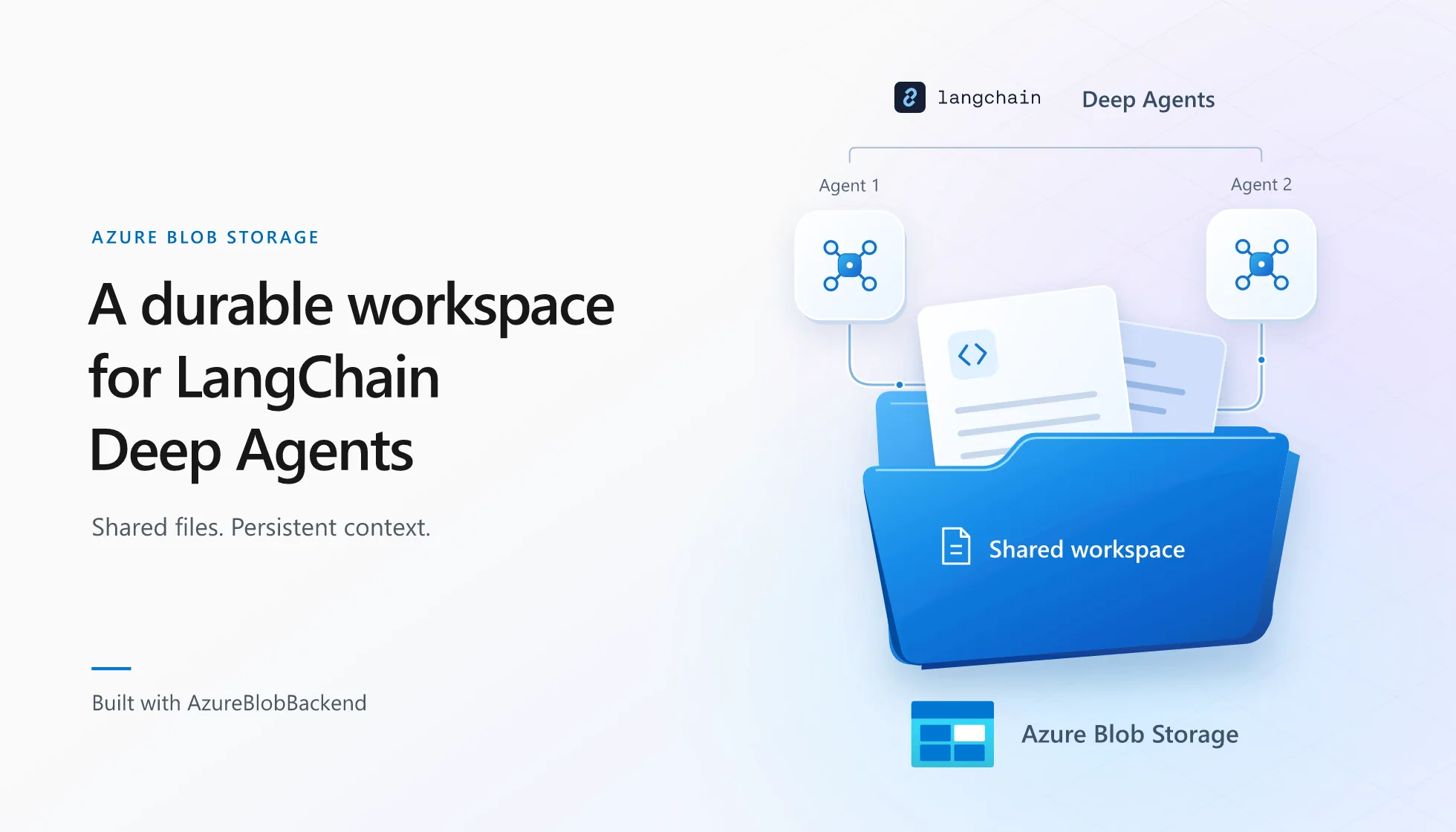
LangChain Deep Agents is an open-source agent harness with built-in capabilities for building LLM-powered agents and applications, including complex, multi-step workflows.
A model can reason and generate responses, but it needs a harness to do useful work over time. The harness provides the tools and runtime that let the model retrieve the right context, take actions, and manage work across multiple steps. Deep Agents supplies that structure through planning, context management, a virtual filesystem, memory and skills, specialized subagents, and human approval points. Filesystems give agents a familiar way to organize and work with context. An agent can list and search files, read only what the current task needs, update artifacts, keep notes, and share work with subagents. This makes the filesystem useful as both a workspace and external memory for long-running tasks, a pattern LangChain highlights in its Deep Agents architecture. Deep Agents exposes this pattern through tools for listing, searching, reading, writing, and editing files. When agents run in the cloud at scale, provisioning and managing a traditional filesystem for every agent can add infrastructure and lifecycle overhead. Developed through collaboration between LangChain and Azure Storage,AzureBlobBackend gives Deep Agents a virtual filesystem backed by Azure Blob Storage. The agent works through familiar filesystem tools such as ls, read_file, write_file, edit_file, glob, and grep, while Blob Storage provides durable, elastic storage underneath. Files can outlive an agent process, be shared across agents and applications, and remain accessible through familiar Azure security and data-management tools. The integration is available through the langchain-azure-storage package in Public Preview.
Why use Blob Storage for a Deep Agents filesystem?
Build self-improving workflows on durable state
Blob Storage can preserve the files that shape an agent's behavior across sessions, including agent instructions, skill libraries, logs, memory, and offloaded context. Agents can read and update these artifacts over repeated runs, enabling feedback loops that retain useful experience and improve performance incrementally.Create secure, organized filesystems for collaborating agents
Blob containers provide access boundaries that can be secured with Azure role-based access control, while familiar blob paths keep shared artifacts organized. This makes it practical for multiple agents to collaborate through the same filesystem while keeping access appropriately scoped.Scale across enterprise document collections
Blob Storage provides durable, elastic storage for large enterprise document collections. Multiple agents can securely access the same corpus without relying on worker-local disks or managing storage capacity as data and workloads grow.Inspect and operate the filesystem outside the agent
Developers can inspect agent-created files through the Azure portal, Azure Storage Explorer, or other applications with authorized access. They can scan files, run independent processing, and support interactions with people or tools that use the same data. Access control, diagnostics, retention, recovery, and lifecycle management remain available independently of the agent.Getting started
Get started by connecting a simple agent to Blob Storage. The following example writes a file with one agent, then creates a second agent with the same backend and reads the file from their shared Blob-backed workspace.Create the filesystem container
Choose an Azure storage account and a blob container for the agent's filesystem. You can use an existing container or create one in the Azure portal by opening the storage account, selecting Data storage > Containers, and selecting + Container. This article usesagent-files as an example name. Copy the storage account's Blob service endpoint, which has the form https://<storage-account>.blob.core.windows.net.
Grant access to the container
Assign Storage Blob Data Contributor on the container to the identity that will run the agent. For local development, assign the role to your user account and sign in with the Azure CLI:az loginInstall the integration
Use Python 3.11 or later. Install the storage integration:pip install -U "langchain-azure-storage[deepagents]"openai:gpt-6-astra; if you choose it, install langchain-openai and set OPENAI_API_KEY:
pip install -U langchain-openaiexport OPENAI_API_KEY="your-api-key"$env:OPENAI_API_KEY = "your-api-key"Connect the backend to the agent
CreateAzureBlobBackend with the Blob service endpoint and the exact name of your chosen container, “agent-files” in this example, then pass it to create_deep_agent. By default, the backend uses DefaultAzureCredential, so the same code works with your Azure CLI sign-in locally and an Azure identity when deployed.
from deepagents import create_deep_agent
from langchain_azure_storage.deepagents import AzureBlobBackend

backend = AzureBlobBackend(
    account_url="https://<storage-account>.blob.core.windows.net",
    container_name="agent-files",
)

agent = create_deep_agent(
    model="openai:gpt-6-astra",
    backend=backend,
)

agent.invoke(
    {
        "messages": [
            {
                "role": "user",
                "content": "Create /hello.py with a Python hello world script.",
            }
        ]
    }
)write_file to create hello.py as a blob.
Share the workspace with another agent
Create another agent with the existing backend, then ask it to read the file. The two agent instances share the same Blob-backed workspace, even though the second agent has no earlier conversation state.another_agent = create_deep_agent(
model="openai:gpt-6-astra",
backend=backend,
)
result = another_agent.invoke(
{
"messages": [
{
"role": "user",
"content": "Read /hello.py and explain what the script does.",
}
]
}
)
print(result["messages"][-1].content)Build a multi-agent mortgage processing workflow
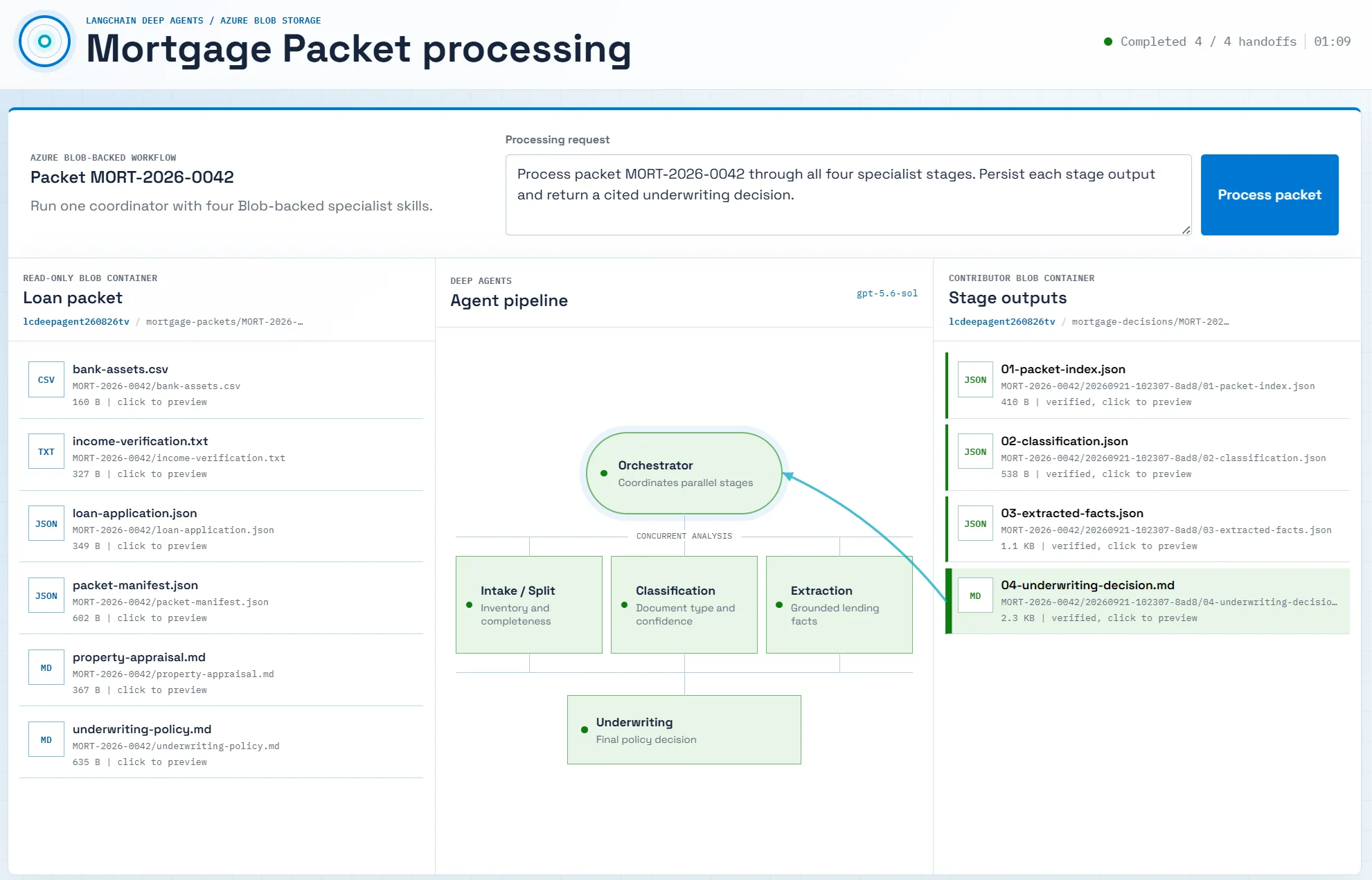 The mortgage processing example provides a complete application pattern. It uses one coordinator and four specialist Deep Agents for packet intake, document classification, fact extraction, and underwriting. Instead of sending every file to Blob Storage, it uses
 CompositeBackend to route only durable application data to three Blob-backed filesystem locations:
/source/contains read-only mortgage packet evidence./guidance/contains read-onlyAGENTS.mdinstructions and specialist skills./output/stores the packet index, classification, extracted facts, and underwriting decision for each run.
source_backend = AzureBlobBackend(
    account_url=account_url,
    container_name="mortgage-packets",
    prefix="MORT-2026-0042/",
)
guidance_backend = AzureBlobBackend(
    account_url=account_url,
    container_name="mortgage-agent-context",
)
output_backend = AzureBlobBackend(
    account_url=account_url,
    container_name="mortgage-decisions",
    prefix=f"MORT-2026-0042/{run_id}/",
)

backend = CompositeBackend(
    default=StateBackend(),
    routes={
        "/source/": source_backend,
        "/guidance/": guidance_backend,
        "/output/": output_backend,
    },
)
StateBackend keeps thread-scoped working files, such as offloaded tool results, conversation history, and intermediate plans, in agent state. The explicit Blob routes preserve files needed across threads or processes, including source evidence, reusable instructions and skills, and generated decisions.
To protect source evidence and guidance from tampering, the sample passes FilesystemPermission rules to create_deep_agent. The rules deny write operations on /source/** and /guidance/** for the coordinator and its subagents. See the permission configuration in app.py, then use the complete mortgage processing example as a starting point for your own workflow.
Additional configuration recommendations
Use additional Azure authentication options
AzureBlobBackend uses DefaultAzureCredential by default. It can use your Azure CLI identity locally and an available managed identity or workload identity in Azure.
If your security policy requires managed-identity-only authentication, pass ManagedIdentityCredential explicitly. Use the host's system-assigned identity or provide the client ID of a user-assigned identity. The identity needs access to the container, and its credential is never exposed to the agent or model.
import os

from azure.identity import ManagedIdentityCredential
from langchain_azure_storage.deepagents import AzureBlobBackend

# System-assigned identity:
credential = ManagedIdentityCredential()

# For a user-assigned identity, use this instead:
# credential = ManagedIdentityCredential(
#     client_id=os.environ["AZURE_CLIENT_ID"],
# )

backend = AzureBlobBackend(
    account_url="https://<storage-account>.blob.core.windows.net",
    container_name="agent-files",
    credential=credential,
)
Route only durable paths to Blob Storage
UseCompositeBackend to route cross-thread files such as memory, skills, shared policies, source documents, and final artifacts to AzureBlobBackend. Keep thread-scoped working files such as intermediate plans and offloaded tool results in StateBackend. Agents connected to the same Blob routes can resume or share durable files, which remain available for inspection outside the agent.
Protect the filesystem
The backend exposes filesystem operations to the agent, including operations that can overwrite or remove data. Apply the same care you would use when granting any automated system write access to storage.- Use a dedicated blob container for isolation. Assign each agent, tenant, or workload that needs a separate access boundary with its own container.
- Use least-privilege access. Scope the Azure role assignment to the blob container the identity needs. Use
Storage Blob Data Readerfor read-only workflows and grantStorage Blob Data Contributoronly when writes or deletes are required. - Enable recovery features. Turn on blob soft delete and, where appropriate, blob versioning.
- Limit destructive tools. If an agent does not need deletion, omit the
deletetool fromFilesystemMiddlewareor require human approval before it runs.
Next steps
UseAzureBlobBackend to give Deep Agents a durable filesystem that can persist across processes, support collaboration, and use the security and data-management capabilities of Azure Blob Storage. The Deep Agents storage backend samples include runnable examples for:
- Creating a basic agent with a Blob-backed filesystem.
- Sharing one Blob-backed workspace between two agent instances.
- Combining persistent memory, a shared filesystem, and subagents through
CompositeBackend.
langchain-azure-storage source and documentation, and use the mortgage processing example to build a durable multi-agent workflow with your own data. Share feedback about this backend or ideas for other LangChain storage integrations through GitHub issues.
This integration was developed through collaboration between LangChain and Azure Storage. Thanks to Kyle Knapp for driving the integration and review, and Dariel Dato-on for the implementation and test contributions.Post Updated on September 22, 2026 at 04:00PM
Thanks for reading
from devamazonaws.blogspot.com

Comments
Post a Comment